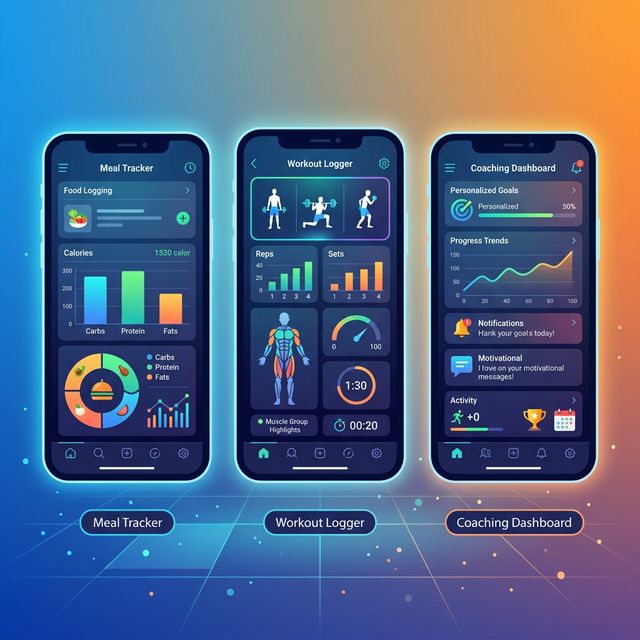
The fitness app market has exploded. You can now get AI-powered coaching, real-time form feedback, precision macro tracking, and personalized recovery recommendations all from your phone. But which app actually delivers results? This guide reviews the best fitness apps across every category — AI coaching, nutrition tracking, strength training logging, and wearable integration — so you can pick the right tool for your specific goals.
How to Choose Your Fitness App: The Framework
Before comparing specific apps, understand what you actually need:
1. Your Primary Goal
- Strength gain: Need workout logging + progressive overload tracking
- Fat loss: Need nutrition tracking + calorie/macro management
- General fitness: Need flexibility (workouts + nutrition)
- Performance (sports): Need sport-specific programming + recovery metrics
2. Your Willingness to Engage
- High engagement: Can log every meal, track sleep/HRV — get AI personalization benefit
- Medium engagement: Log workouts consistently, track macros 4-5 days/week
- Low engagement: Need autopilot app that works with minimal input
3. Your Budget
- Premium ($15-30/month): Personalization, AI features, wearable integration
- Mid-tier ($5-15/month): Core features, limited AI
- Free: Basic logging, limited analytics
Best AI Coaching & Adaptive Programming Apps
Stronger by Appalachian State University
Best for: Strength training focused athletes who want automatic load management
What it does: Stronger is a pure strength app with adaptive programming. You input your training data (weight, reps, RPE), and the algorithm adjusts your next sets in real-time based on performance.
Standout features:
- Velocity-based training integration (syncs with Tendo, Beast Sensor, or manual data)
- Auto-adjusts weight prescriptions based on daily performance
- Tracks bar speed (slower bar = fatigue; algorithm responds)
- Built-in periodization templates or custom programming import
Cost: $9.99/month premium
Verdict: If you're training for strength and want scientific load management, this is the best app. The velocity tracking feature is unmatched. Limitation: doesn't integrate nutrition; pure workout logging.
Carbon Training
Best for: Bodybuilders and hypertrophy-focused lifters wanting AI-optimized rep ranges
What it does: Carbon generates personalized workouts based on your rep range response patterns. You train, log performance, and the algorithm learns whether you respond better to 6-8 reps vs 10-12 reps vs 15-20 reps.
Standout features:
- Learns your optimal rep ranges and adjusts volume accordingly
- Predicts hypertrophy gains based on your training response data
- Manages fatigue and overtraining risk
- Clean, minimal interface (frictionless logging)
Cost: Free to $9.99/month for AI features
Verdict: Excellent for intermediate to advanced lifters. The machine learning is genuinely good. Limitation: Less sophisticated than Stronger for powerlifting or Olympic lifting; more focused on aesthetic goals.
Best Nutrition & Macro Tracking Apps
MacroFactor
Best for: Precision calorie/macro tracking with AI adaptation for fat loss
What it does: You log meals (camera food recognition or manual entry), and MacroFactor learns your body's actual calorie needs. It adjusts your targets weekly based on weight loss trends, preventing the plateau that occurs with static calorie targets.
Standout features:
- AI learns your true TDEE (not just estimates)
- Auto-adjusts calories weekly based on real weight loss
- Explains why your metabolism adapted (metabolic adaptation tracking)
- Integrates with Oura, Whoop, Apple Health for activity adjustment
- Meal recognition (point camera at food)
Cost: $8-12/month
Verdict: If precision fat loss is your goal, this is the best app available. The AI truly personalizes calorie targets to YOUR body. Limitation: Best for "logged and tracked" dieters; doesn't work well if you eat unlabeled home-cooked meals.
Cronometer
Best for: Micronutrient precision (vitamins, minerals, trace elements)
What it does: Tracks every nutrient in your food — not just calories/macros. You can see if you're getting enough iron, magnesium, selenium, vitamin K2, etc.
Standout features:
- Comprehensive micronutrient database
- Identifies nutrient gaps in your diet (alerts if magnesium is low)
- Bioavailability tracking (notes whether nutrients are absorbed well)
- Supports custom foods and recipes easily
Cost: Free (basic) or $3/month (premium features)
Verdict: Perfect if you care about nutritional completeness. Many athletes overlook micronutrient deficiencies; this solves that. Limitation: Heavier interface; requires more detailed logging than MacroFactor.
Best Workout Logging & Strength Tracking Apps
Strong Workout Tracker
Best for: Detailed strength training logging with minimal AI
What it does: Log every set, rep, and weight. Strong tracks progressive overload visually and tells you your personal records. Fast data entry (offline mode helps in poor gym signal).
Standout features:
- Fastest data entry of any app (minimal friction)
- Visualizes progression curves for each exercise
- Offline mode works in gyms with no signal
- Export data to spreadsheet
Cost: $3.99/month or $29.99/year
Verdict: Best if you want simple, reliable logging without AI complications. The lack of adaptive features is actually a feature for some (you control your program). Limitation: No form feedback or wearable integration.
Hevy
Best for: Social strength training communities
What it does: Log workouts, see what other athletes in your gym are doing, share progress, and connect with people following the same program.
Standout features:
- Social feed (see others' PRs, ask for form checks)
- Built-in programs from coaches
- Community feedback on form (upload video clips)
- Leaderboards and challenges
Cost: Free (basic) or $9.99/month (premium programs)
Verdict: Great if you're motivated by community and accountability. The social aspect increases consistency for many. Limitation: Less data-driven than Stronger; better for psychological than physiological optimization.
Best Wearable Integration & Recovery Apps
Oura Ring + App
Best for: Sleep and HRV tracking to inform recovery
What it does: The ring measures your sleep (duration, quality, REM vs deep), heart rate variability (HRV — nervous system recovery), and body temperature. The app recommends whether to do a hard workout, rest, or do light activity based on your readiness score.
Standout features:
- Proprietary sleep algorithm (better than Whoop for sleep staging)
- Tracks temperature consistently (early infection/illness indicator)
- Integrates with Stronger, Strava, Apple Health
- Personalized HRV baselines (accounts for your normal range)
Cost: $299 hardware + $5.99/month subscription
Verdict: Best overall ring for fitness. The data is accurate and actionable. Many athletes use HRV to decide: hard day vs easy day. Limitation: Ring accuracy depends on consistent wear and good signal; requires 2-3 weeks of baseline data.
Whoop Band
Best for: HRV and strain monitoring during workouts
What it does: Armband tracks real-time workout strain (how hard you pushed), recovery (parasympathetic reactivation), and resting HRV. Gives you daily readiness score: green (go hard), yellow (moderate), red (recover).
Standout features:
- Excellent in-workout strain tracking (knows how intense your session was)
- Sport-specific recovery (different for lifting vs running vs swimming)
- Trains you to respect red days (rest is part of programming)
- 24/7 heart rate accuracy
Cost: $239 hardware + $30/month subscription
Verdict: Premium option for serious athletes. The strain data is valuable for understanding your actual training load vs perceived load. Limitation: Subscription-heavy; less useful without paying ongoing fee.
Best All-in-One Apps (Workouts + Nutrition + Tracking)
MyFitnessPal
Best for: Beginners wanting everything in one place
What it does: Database of 14+ million foods, barcode scanner, workout logging, calorie/macro tracking, and community features all in one app.
Standout features:
- Largest food database (restaurant chains, packaged foods)
- Barcode scanning (fast for packaged foods)
- Syncs with Apple Health, Fitbit, Garmin
- Established and stable (13+ years)
Cost: Free (limited) or $9.99/month (premium)
Verdict: Good starting point for nutrition tracking. The food database is comprehensive. However, lacks AI personalization that MacroFactor offers. Limitation: Less sophisticated than dedicated nutrition apps; better for general fitness than serious athletes.
TrainHeroic
Best for: Hybrid athletes (strength + conditioning + nutrition)
What it does: Combines customizable workout programming with nutrition coaching, form video feedback, and coaching integration (your trainer can review your form through the app).
Standout features:
- Works with custom coaching programs
- Coach can adjust your program remotely based on your logged performance
- Video form checks from your coach
- Nutrition planning with macros
Cost: Free (athlete only) or custom with coaching
Verdict: Best if you're working with a human coach remotely. The trainer-athlete communication layer is excellent. Limitation: Requires paying a coach separately; not suitable for fully autonomous training.
Emerging AI Apps to Watch (2026)
Levels Energy Tracking
CGM (continuous glucose monitor) + AI app that tells you which foods spike your glucose and how to stabilize energy. Early data shows this helps athletes with energy management during training. The app learns your personal glucose response to different foods, meals, and meal timing — valuable for pre-workout fueling optimization.
How it helps AI coaching: When your AI coach recommends "high carbs on training days," Levels tells you which carbs stabilize your glucose best. Some athletes respond better to rice than oats (different glucose trajectories). This personalization adds another layer beyond standard macro targets.
Notion/Spreadsheet Customization
Advanced users are moving to custom-built databases that integrate with Zapier, connecting wearables → Google Sheets → custom dashboards. More work but maximum personalization. This approach requires technical setup but allows complete control over metrics tracked and visualized.
OpenAI Integration (Coming 2026)
Several fitness platforms are integrating large language models to provide natural-language coaching. Instead of tapping buttons, you ask: "Why is my strength not improving?" The AI analyzes your complete training history, sleep, nutrition, and explains the bottleneck in plain language.
Comparison Table: Fitness Apps Feature Matrix
This table helps you compare key features across different apps to find the best match for your specific needs:
| App Name | AI Training | Nutrition | Form Detection | Wearable Sync | Price |
|---|---|---|---|---|---|
| Stronger | ⭐⭐⭐⭐⭐ | ❌ | ⭐⭐⭐ | ⭐⭐⭐⭐ | $10/mo |
| Carbon | ⭐⭐⭐⭐ | ⭐ | ⭐⭐ | ⭐⭐⭐ | Free-$10 |
| MacroFactor | ⭐⭐ | ⭐⭐⭐⭐⭐ | ❌ | ⭐⭐⭐⭐ | $8-12 |
| Cronometer | ❌ | ⭐⭐⭐⭐⭐ | ❌ | ⭐⭐ | Free-$3 |
| Strong | ⭐ | ❌ | ❌ | ⭐⭐ | $4-30 |
| Hevy | ⭐⭐ | ⭐ | ⭐⭐⭐ | ⭐⭐ | Free-$10 |
| MyFitnessPal | ⭐ | ⭐⭐⭐⭐ | ❌ | ⭐⭐⭐⭐ | Free-$10 |
| TrainHeroic | ⭐⭐⭐ | ⭐⭐ | ⭐⭐⭐⭐ | ⭐⭐ | Free |
Legend: ⭐ = Basic/Limited, ⭐⭐⭐ = Good, ⭐⭐⭐⭐⭐ = Excellent, ❌ = Not available
The Ultimate App Stack for Different Goals
Goal: Build Muscle (Hypertrophy)
- Workouts: Carbon (AI rep range learning)
- Nutrition: MacroFactor (precise calorie/macro targets)
- Recovery: Oura (sleep + HRV → workout readiness)
- Cost: ~$25-30/month
Goal: Build Strength (Powerlifting)
- Workouts: Stronger (velocity-based load management)
- Nutrition: Cronometer (micronutrient completeness)
- Recovery: Whoop (in-workout strain tracking)
- Cost: ~$45-50/month
Goal: Fat Loss (Aesthetic)
- Workouts: Strong (simple logging)
- Nutrition: MacroFactor (AI calorie adjustment)
- Recovery: Oura (sleep affects hunger hormones)
- Cost: ~$20/month
Goal: General Health (Moderate Budget)
- Workouts: Strong (free or $3.99/month)
- Nutrition: Cronometer (free basic version)
- Recovery: Apple Watch (already owned for most)
- Cost: ~$4-10/month
Advanced App Strategy: Integration & Measurement
The Multi-App Stack Protocol
While one app is simplest, serious athletes often combine 2-3 apps for complete coverage. Here's how to do it without overwhelming yourself:
Primary App (Your Hub): One app where all data flows. For strength athletes: Stronger. For general fitness: Carbon.
Secondary App (Specialist): One complementary app for nutrition (MacroFactor) or recovery (Oura integration). Don't track workouts in two apps — track only in primary app.
Wearable Integration (Automatic): Connect your wearable directly to primary app, not to secondary apps. This prevents data duplication and confusion.
Data Flow Example: Primary: Stronger → Logs workout performance. Wearable: Oura → Auto-syncs HRV/sleep to Stronger. Secondary: MacroFactor → You manually sync workout type once weekly (no real-time integration needed, just context).
Tracking Success Metrics Across Apps
For Strength-Focused Athletes (Using Stronger + MacroFactor):
- Stronger Metrics: Velocity data, RPE, form quality, progressive overload rate (2-5% weight increases monthly)
- MacroFactor Metrics: Weekly weight trend, macro adherence score (should be 90%+), daily calorie variance
- Correlation Analysis: After 8 weeks, review: "On weeks I hit protein targets, did I gain more strength?" (yes = nutrition was limiting factor before). This tells you where to focus optimization
For Fat Loss Athletes (Using Strong + MacroFactor + Oura):
- Strong Metrics: Consistency (% workouts completed), strength maintenance (should NOT drop during cut)
- MacroFactor Metrics: Weight trend (0.5-2 lbs/week loss), macro adherence, metabolic adaptation (AI adjusts calories weekly)
- Oura Metrics: Sleep quality (shouldn't drop below 80-100 hours deep sleep/week during cut), HRV trend (may dip slightly but shouldn't crash)
- Integration Insight: If weight loss stalls while sleep drops, it's a recovery issue (increase calories, improve sleep). If weight loss stalls with good sleep, it's a metabolic adaptation (MacroFactor will auto-reduce calories)
Common App Mistakes
Mistake #1: Switching Apps Every Month
Each app has a learning curve. Switching constantly means you never get the full benefit of AI features that learn from your data. Give an app 8-12 weeks minimum before switching. The algorithm quality difference between apps is smaller than the learning curve penalty of switching.
Mistake #2: Logging Inconsistently
The apps depend on data. If you only log 60% of meals or skip workout entries, the AI has incomplete information. Consistency beats perfection. A study from the American Journal of Preventive Medicine shows that athletes with 90%+ logging consistency achieve their goals 3x faster than those with 60% consistency.
Mistake #3: Ignoring Wearable Integration
Apps like MacroFactor adjust calories based on your actual activity (Oura/Whoop data). If you don't connect wearables, you lose this personalization. You'll set static calorie targets instead of adaptive ones, leading to slower progress during intense training phases.
Mistake #4: Choosing by Interface Alone
Beautiful UI is nice but shouldn't be your primary criterion. A less pretty app with better algorithms will give you better results. Test the algorithm power first (can it detect your patterns?) before committing to aesthetics.
Mistake #5: Not Exporting Historical Data
Before switching apps, export all historical data from your old app. Many apps make this difficult, but it's crucial for maintaining long-term trend analysis. You'll lose insights if you start fresh with a new app and can't compare to the past 6 months.
The App-Independent Truth
After reviewing dozens of apps, here's what matters:
- Consistent logging (any app works if you're disciplined)
- Wearable integration (gives AI more context to personalize)
- Feedback mechanism (the app tells you something you didn't know)
- Low friction data entry (you're more likely to use it long-term)
The best app is the one you'll actually use. Start with a free app, and if you're consistent for 8 weeks, upgrade to a premium app that personalizes further. The algorithm quality only matters if you feed it data.