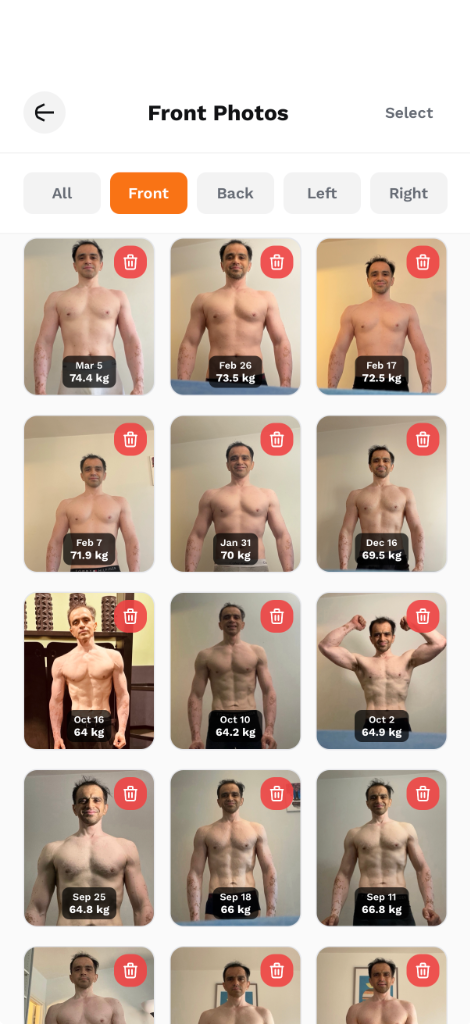
The mirror lies. Day to day, you look the same to yourself because your brain normalises gradual changes. But progress photos don't lie. They're the most powerful tool for tracking your body transformation — if you take them correctly.
This guide covers exactly how to take progress photos that are actually useful for comparison, how often to take them, and how AI can quantify changes you can't see with the naked eye.
Why Progress Photos Matter More Than the Scale
The number on the scale is one of the worst indicators of body composition change:
- Muscle weighs more than fat — You can gain 2kg of muscle and lose 2kg of fat, and the scale won't move at all, even though you look dramatically different.
- Water weight fluctuates — Your weight can vary by 1–3kg in a single day based on hydration, sodium intake, and hormones.
- The scale doesn't show shape — Two people at the same weight can look completely different.
The 4-Angle System
For comprehensive tracking, take photos from 4 angles every time:
- Front — Arms relaxed at sides. Shows chest, abs, shoulders, and overall symmetry.
- Back — Same pose from behind. Shows back width, rear delts, and lower back.
- Left Side — Standing sideways. Shows posture, belly profile, and arm thickness.
- Right Side — Opposite side. Helps identify asymmetries.
UltraFit360's progress photo feature is built around this 4-angle system — the app guides you through capturing all 4 angles in sequence.
How to Take Good Progress Photos
Consistency is everything
The single most important rule: keep everything the same between photo sessions. Same time of day, same lighting, same location, same clothing, same distance from camera.
Timing
- Best time: Morning, after using the bathroom, before eating or drinking.
- Why: Your body is most "neutral" — no food bloating, consistent hydration level.
- Worst time: After a big meal, post-workout (temporary pump), or late evening (water retention).
Lighting
- Use natural light from a window, or a consistent overhead light.
- Avoid: Harsh gym lighting (creates misleading shadows) or direct sunlight (washes out detail).
- Key: The same light source, same direction, every time.
Camera Setup
- Use a tripod or phone stand at chest height.
- Self-timer or voice trigger — Holding the phone creates inconsistent angles.
- Same distance — Mark where to stand with tape on the floor if needed.
- No filters — Auto-enhancement makes comparisons meaningless.
How Often to Take Progress Photos
| Frequency | Best For | Why |
|---|---|---|
| Weekly | Active fat loss or muscle building phases | Captures rapid changes, keeps you motivated |
| Bi-weekly | Maintenance or slow recomposition | Changes are slower, bi-weekly shows clearer differences |
| Monthly | Long-term tracking | Dramatic side-by-side comparisons for personal milestones |
How AI Body Analysis Works
Looking at your own progress photos is subjective — your brain plays tricks. AI body analysis adds objectivity:
What UltraFit360's AI analyses
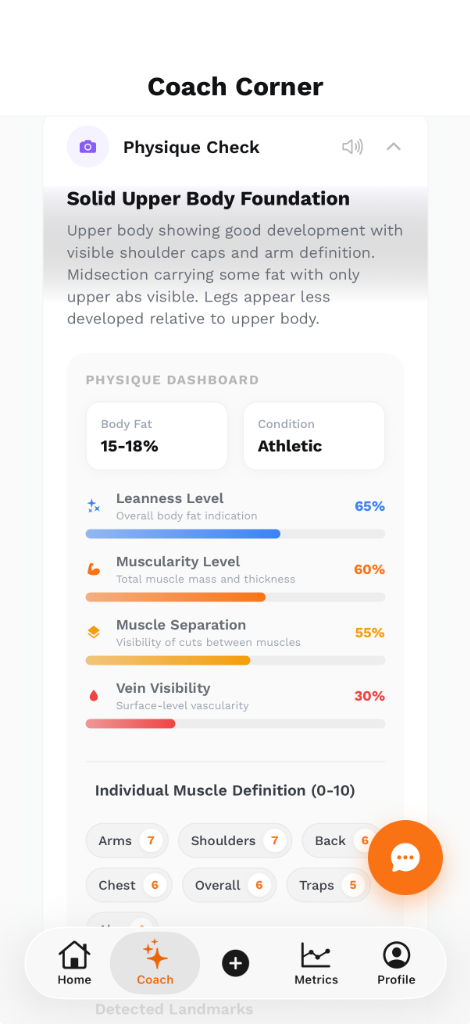
AI Physique Check: UltraFit360 analyses your photos to estimate body fat, track leanness, and score muscle definition across 5 key regions.
- Body fat estimation — AI estimates your body fat percentage from 4-angle photos, tracking changes over time with a consistent methodology.
- Muscle definition scoring — The AI scores muscle definition across key body areas: arms, chest, abs, legs, and back.
- Visual change detection — Side-by-side comparison with highlighted regions where changes are most visible.
- Quantified metrics — Instead of "I think I look leaner," you get real numbers. Photo-based AI body fat estimation is typically within ±3–4% of DEXA scan results.
Quick Checklist
- ☑ Same time of day (morning, fasted)
- ☑ Same location and lighting
- ☑ Same clothing
- ☑ 4 angles: front, back, left, right
- ☑ Phone on tripod/stand at chest height
- ☑ No filters or editing
- ☑ Relaxed, natural pose (no flexing unless you flex every time)
Track Your Transformation with AI
Take 4-angle progress photos in UltraFit360 and let AI estimate body fat, score muscle definition, and quantify your changes.