Lead management
Win new clients
Your own lead page at ultrafit360.com/l/yourname, and a simple pipeline to follow every enquiry through to a signed client.
Your lead page
Shows your photo, specialties, services and about text. Share it in your bio, stories and DMs.
Qualified enquiries
Prospects tell you their goal, activity level and whether they prefer email, phone or WhatsApp. Spam protection keeps bots out.
A simple pipeline
Move each lead from New to Contacted to Converted or Archived, with private notes on every one.
One-click convert
Convert a lead to a client and their details carry straight into onboarding. New leads also show up in your notifications.
Scheduling & booking calendar
Let prospects book a call with you
A personal trainer booking page at ultrafit360.com/book/yourname, driven by the hours you set.
Your weekly hours
Add several time windows per day, then copy a day's hours to the rest of the week in one go.
Time off, blocked
Block a time range or a whole day for holidays, sessions or anything else.
Booking rules
Choose 15, 30, 45 or 60-minute calls, a minimum notice from 0 to 48 hours, and how far ahead people can book, from 7 to 30 days.
Their timezone, your calendar
Prospects see open slots in their own timezone. You see every booking in a week view, linked to the lead it came from.
Intro calls from your lead page
Offer a free intro call right after someone fills in your lead form.
Easy cancellations
Prospects cancel from their confirmation link. You can cancel with an optional reason.
Client onboarding
Onboard a client in a minute
Enter their email, pick a package and set their check-in day.
Invite or connect
New clients get an invitation email. People already on UltraFit360 get an in-app request to approve.
A roster that tells you who needs you
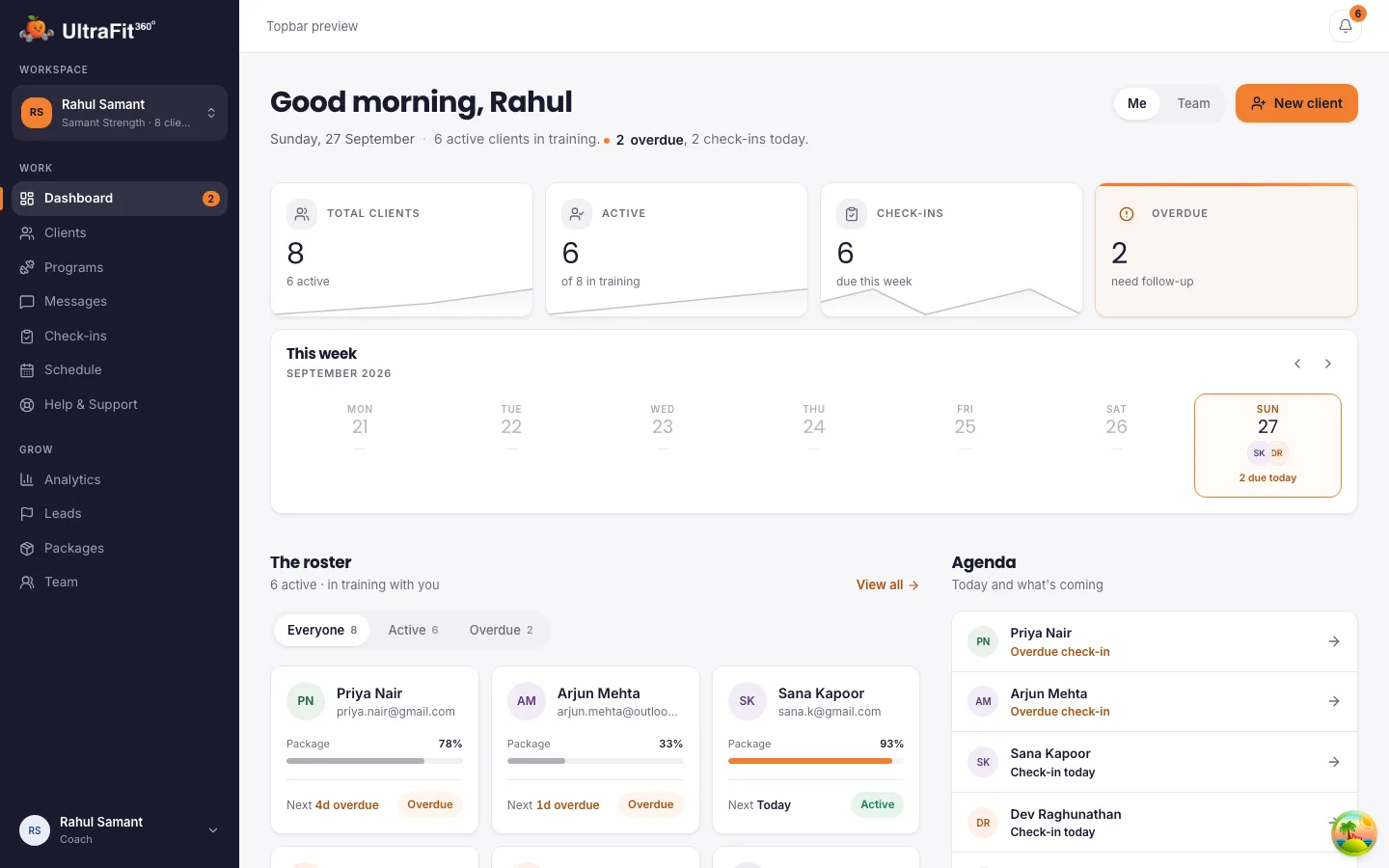
See who is active, due, overdue or pending, and how far each client is through their package.
Workout programs
Build a program once, reuse it forever
A program builder made for coaches, with an exercise library your clients can follow on their phone.
Weeks, days and blocks
Warmup, main work and cooldown on every day. Sets and reps or timed work, with a coaching note on any exercise.
Exercise library
Filter by muscle, equipment and difficulty, with demo animations. Add your own exercises with a demo image or GIF.
Templates
Start from ready-made programs, keep your own, or share them with your team.
Assign, then tailor
Assign a template and adjust it for one client. See their logged sessions set by set, with volume and RPE.
Meal plans & nutrition
Meal plans without the spreadsheet
Create plans three ways, then compare targets with what your client actually logs.
AI Meal Planner
Set calories, macros, meal split, diet type, cuisine, allergies and ingredients to use or avoid, and get options for every meal.
Upload your PDF plan
Already have plans you like? Upload the PDF and it becomes meals your client can follow in the app.
Build it yourself
Ingredient-level macros, with fibre added up for you.
Targets vs. reality
Set each client's calories, macros, water and steps, and see their weekly averages for calories, macros and steps against them.
Check-ins
Check-ins that come to you
Ask the right questions every week and review everything in one inbox.
Questionnaire builder
Nine answer types, from short text to scales and star ratings. Use them for intake forms, weekly check-ins or one-off questions.
On schedule, or right now
Send check-ins every week automatically, or push one out whenever you need it.
One review inbox
Answers, progress photos, weight, body fat, sleep and steps side by side, sorted into needs review, reviewed and awaiting.
Feedback where they'll see it
Keep a private note, or send your feedback straight to the client's messages. Compare 2 to 4 progress photos in a downloadable collage.
Client data
See the full picture
Data your clients log or sync from Apple Health and Health Connect, without asking them to fill in a form.
20 health metrics
Weight, body measurements, sleep, heart rate, HRV, VO2 max, steps and more, over 30, 60 or 180 days.
Strength vs. body
Overlay a lift's best weight on a body metric, for example squat against bodyweight.
Chat & notifications
Stay close without living in your DMs
Client chat
One-to-one chat with every client, with unread counts so nobody slips through.
One "Needs you" list
Overdue check-ins, check-ins to review, new messages, new leads, packages ending soon and team invites, all in one place.
Packages & analytics
Run the business side
Packages
Define packages with a duration, price and what's included. Picking one sets the client's plan end date for you.
Dashboard
A week-at-a-glance rail of check-ins due, plus check-in adherence over time.
Analytics
Client growth by month, plans about to expire and your most popular packages.
Teams
Grow from solo coach to team
Invite coaches
Invite by email or share an invite code, as a coach or a head coach.
Shared client pool
Keep new clients in a shared pool and assign them to the right coach.
Team dashboard
See every coach's load and every client across the team.
Your brand
Organisation name, logo, description and contact details.
What your clients get
The free UltraFit360 app, on iOS and Android.
AI meal logging
Snap a photo or type what they ate.
Your program, on their phone
Set-by-set logging with automatic personal records.
Health sync
Apple Watch, Apple Health and Health Connect.
An AI coach between check-ins
Answers everyday questions so they stay on track until you next talk.
They keep their progress
When your coaching ends, their workouts, meals, weight and photos stay in their app and the free AI coach takes over. Their health data stops being shared with you, so clients can sign up knowing their history is theirs.
Frequently asked questions
Is UltraFit360 really free for coaches?
Yes, today. Paid plans launch in January 2027. The first 250 coaches and teams stay free for 12 months after launch; every other coach gets 6 months free from launch.
Do my clients pay for the app?
No. Your clients use the free UltraFit360 app on iOS or Android. You agree your coaching fee with them directly.
Can I import the meal plans I already use?
Yes. Upload a PDF meal plan and UltraFit360 turns it into meals your client can follow, or build plans with the AI Meal Planner.
Does it work for a gym or a coaching team?
Yes. A head coach can invite coaches, share templates, keep a shared client pool and assign clients to coaches.
Can prospects book a call with me?
Yes. Set your weekly hours and share your booking page. Prospects pick a slot in their own timezone and can cancel from their confirmation link.
What happens to a client's data if we stop working together?
Their history stays with them. Their app switches back to the AI coach, and you keep a read-only view of past check-ins.
Start coaching on UltraFit360 today
Free today, with a founding offer into 2027. Set up in minutes.