Teams
Built for a head coach and a team
Grow from a solo coach to a full coaching team without changing tools.
Invite coaches by email or code
Bring coaches onto your team by email invitation or a shared invite code.
Coach and head coach roles
Give each team member the right role, coach or head coach.
Shared client pool and assignment
Keep new clients in a shared pool and assign them to the right coach.
Team dashboard with per-coach load
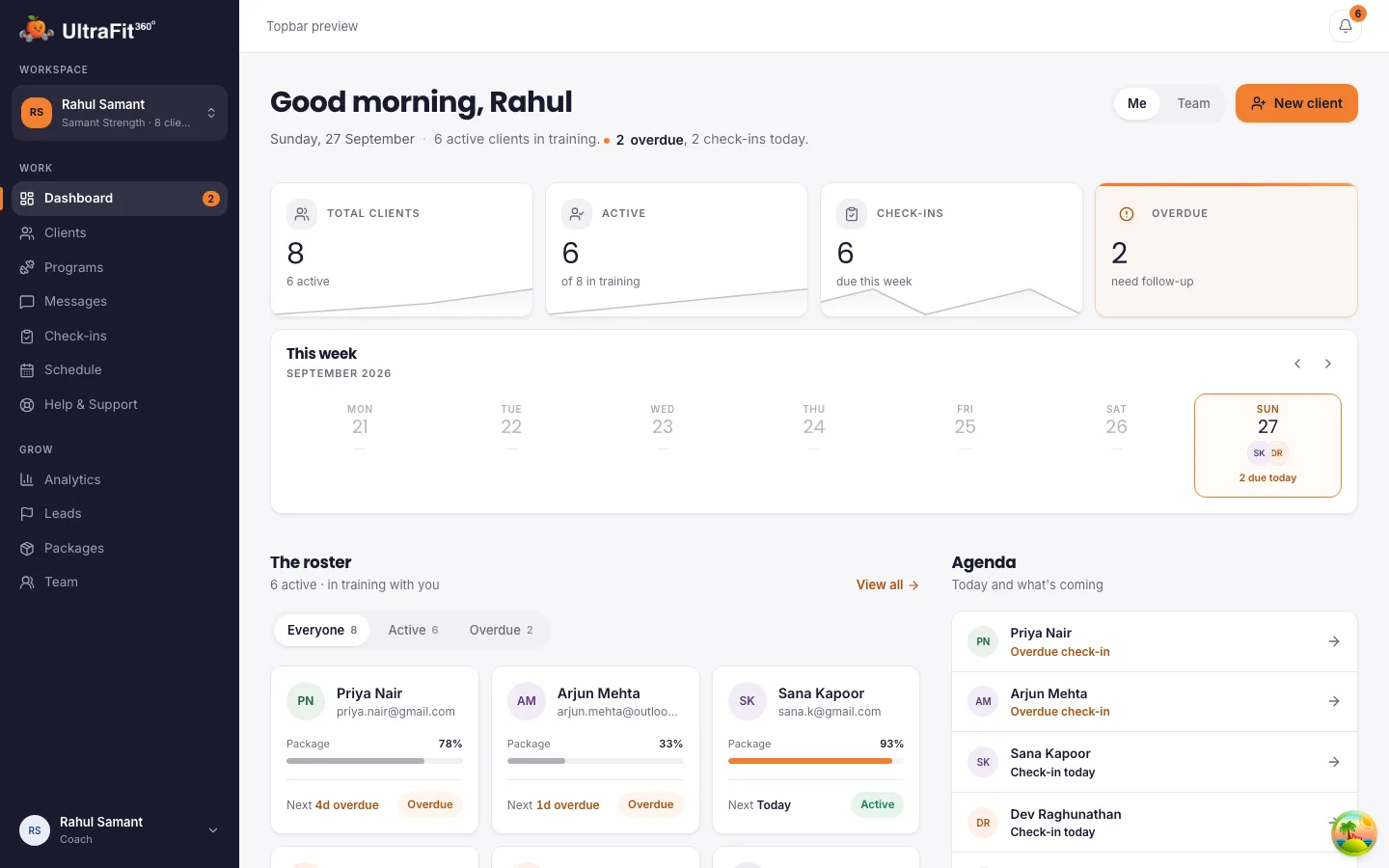
See every coach's workload and every client across the team from one dashboard.
Your organisation's branding
Set your organisation name, logo, description and contact details.
Client onboarding
Consistent onboarding for every client
Every coach on your team onboards clients the same way.
Email + package + check-in day
Onboard a client by entering their email, picking a package and setting their check-in day.
Invitation email or in-app approval
New clients get an invitation email. People already on UltraFit360 get an in-app request to approve.
Roster status for every coach
See who is active, due, overdue or pending across every coach's roster.
Workout programs
One program library for the whole team
Build a program once and put it in front of every coach on your team.
Share templates with your organisation
Share your program templates so every coach on the team can use them.
Ready-made programs to start from
Start from ready-made programs instead of building from scratch.
Tailor per client
Assign a shared template, then adjust it for one client.
Packages & analytics
Packages and numbers
Run the business side of your organisation from one place.
Organisation packages
Define packages for your organisation, with a duration, price and what's included.
Client growth and expiring plans
See client growth by month and which plans are about to expire.
Check-in adherence
Track check-in adherence over time across the team.
How it works
From a new organisation to a running team
Three steps to get every coach working the same way.
1. Set up your organisation and invite coaches
Add your organisation name, logo, description and contact details, then invite coaches by email or share an invite code, as a coach or a head coach.
2. Put new clients in the shared pool and assign them
Onboard a client the same way every time: email, package, check-in day. Keep new clients in a shared pool until you assign them to the right coach.
3. Track every coach's load and check-in adherence
See every coach's workload and every client across the team from one dashboard, plus check-in adherence over time and which plans are about to expire.
Why teams move onto one platform
The problems a scattered gym setup creates
A gym or coaching team often runs on a mix of personal spreadsheets, individual chat threads and paper intake forms, one set per coach. That makes it hard for a head coach to see the whole operation.
No single view across coaches
A team dashboard shows every coach's clients, workload and check-in adherence in one place instead of asking each coach individually.
New clients stuck waiting for an assignment
A shared client pool means new signups don't sit in one coach's inbox; a head coach can assign them to the right coach.
Every coach re-building their own plans
Shared program templates and ready-made programs mean coaches build once and every coach on the team can reuse it.
Clients lost when a coach leaves
A departing coach's clients stay with your organisation as unassigned, ready to be handed to another coach, instead of leaving with that coach's personal notes.
Client data
They keep their progress
When a client's coaching with your organisation ends, their workouts, meals, weight and photos stay in their app and the free AI coach takes over. Their health data stops being shared with your team, so clients can sign up with your gym knowing their history is theirs.
Frequently asked questions
Can I see every coach's clients?
Yes. Head coaches see all clients across the team, each coach's workload, and clients waiting in the shared pool.
What happens to clients when a coach leaves?
Their clients stay with your organisation as unassigned, ready to be given to another coach.
Does it handle memberships or door access?
No. UltraFit360 covers coaching: programs, meal plans, check-ins, chat, leads and bookings. It works alongside the system you use for memberships.
Is it free?
Yes, today. Paid plans launch in January 2027. The first 250 coaches and teams stay free for 12 months after launch; every other coach gets 6 months free from launch.
What happens to a client's data when their coaching ends?
Their history stays with them: their workouts, meals, weight and photos remain in their app, which switches back to the free AI coach. Coaches lose access to their health metrics and keep only a read-only view of the check-ins already reviewed.
Start your team on UltraFit360 today
Free today, with a founding offer into 2027. Set up in minutes.