Lead tracking
Track every enquiry through a pipeline
Prospects arrive from your own lead page, and each one lands in a pipeline you control.
Your lead page
Your own page at ultrafit360.com/l/yourname with your photo, specialties and services. Share it in your bio, stories and DMs. Spam protection keeps bots out.
Qualified enquiries
Prospects tell you their goal, activity level and whether they prefer email, phone or WhatsApp before you reply.
Seven stages
Move each lead through New, Engaged, Qualified, Call booked, Trial, Won or Lost. Mark a lead Lost and record why: price, timing, no response, went elsewhere or other.
Notes and follow-up dates
Keep private notes on every lead and set a next follow-up date. Overdue follow-ups sort to the top of your list.
A timeline per lead
See each change of stage and the conversation with the lead in one drawer, with one-tap email or WhatsApp reply links.
Reminders when leads go quiet
You get an email when a lead is waiting for your reply, has gone quiet or has a follow-up date that has passed.
Lead to client
Convert a lead without retyping anything
When a prospect is ready, the lead becomes a client in one step.
One-click convert
Convert a lead to a client and their name and email carry straight into onboarding.
Booked calls linked to the lead
Prospects can book an intro call from your booking page, and the booking shows against the lead it came from.
Package and check-in day
Pick a package and a weekly check-in day. The plan end date is set for you, and the client gets an invitation to the free app.
Client management
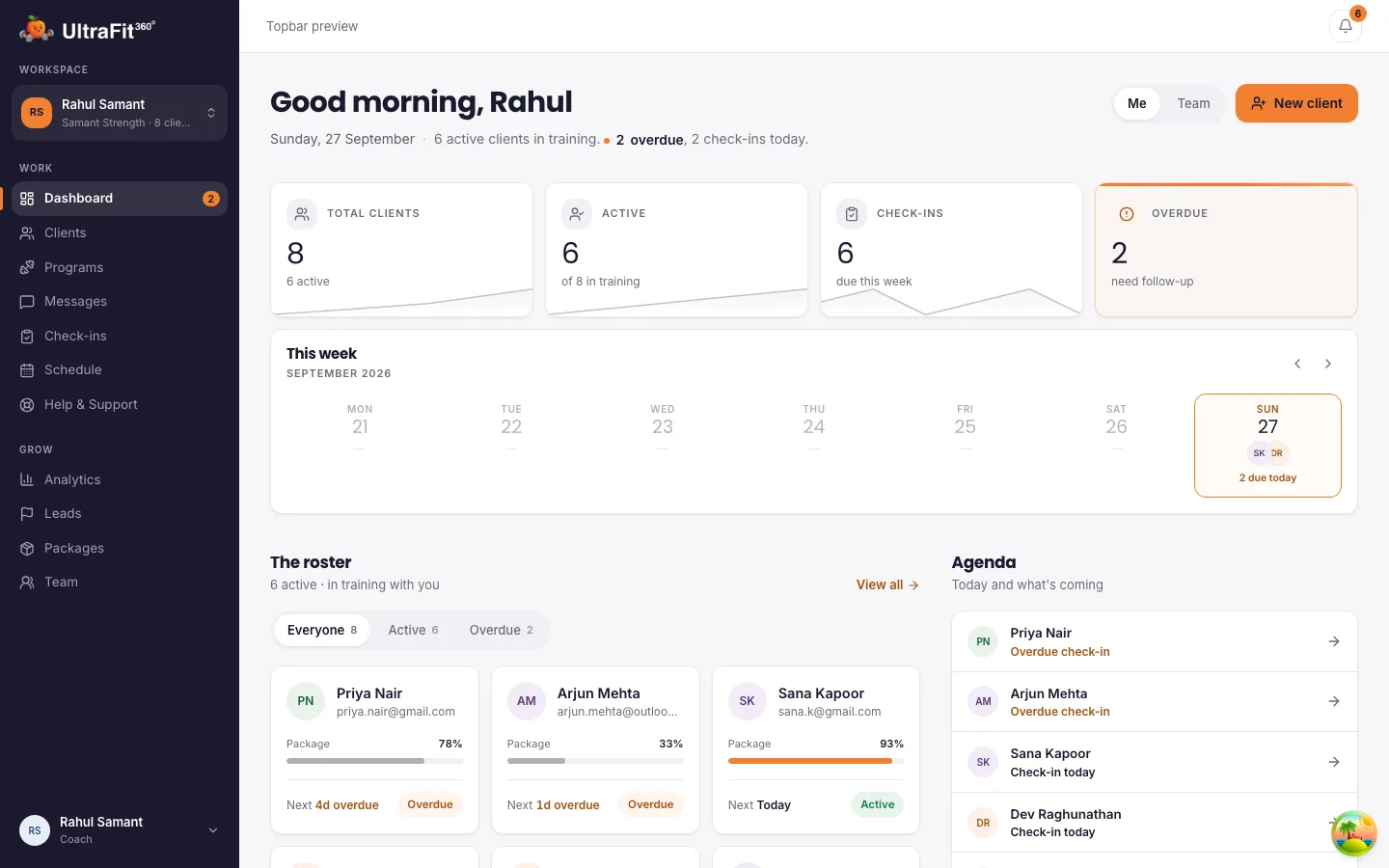
A client roster that shows who needs you
Client tracking without a spreadsheet.
Status at a glance
See who is active, due, overdue or pending, and how far each client is through their package.
One "Needs you" list
Overdue check-ins, check-ins to review, new messages, new leads and packages ending soon in one place.
Everything on the client record
Their program, meal plan, logged workouts and meals, weight, progress photos and check-in answers sit on one client page.
Chat and weekly check-ins
One-to-one chat with unread counts, and check-ins that go out on the day you set.
Analytics
Client growth by month, plans about to expire and your most popular packages.
Optional AI lead assistant
Let an assistant answer first-time questions
Upload your own documents, such as service descriptions and FAQs, and switch on a chat on your lead page.
Answers from your material
The assistant answers from your profile, your packages and the documents you upload. When it cannot answer, it hands the conversation to you.
You set the tone
Choose what it collects from prospects and add tone rules. It is off until you upload a document and turn it on.
How it compares
Compared with Everfit, TrueCoach and Trainerize
What each tool lists for lead capture and client management, from their own pages. Checked on 15 November 2026 on each vendor's own pricing page.
UltraFit360
Lead page, seven-stage pipeline, booking page and client roster in one free coach account today. No client billing or invoicing, and no custom-branded app.
Everfit
Booking & Scheduling, Forms & Questionnaires and team management start on the Pro plan, from $19/month for 5 clients billed monthly. No lead enquiry form is listed on the pricing page.
TrueCoach
Public coach profiles (Standard plan, $57.99/month) let prospects apply. Plans start at $26.34/month for up to 5 active clients.
Trainerize
A Trainerize.me profile comes with the Grow plan ($9/month for 2 clients). Prospect scheduling and shareable booking links are in the Business add-on at $25/month.
Sources: everfit.io/pricing, truecoach.co/pricing, trainerize.com/pricing. Full comparison: Best personal trainer apps.
Client data
They keep their progress
When your coaching ends, their workouts, meals, weight and photos stay in their app and the free AI coach takes over. Their health data stops being shared with you, so clients can sign up knowing their history is theirs.
Frequently asked questions
What is a CRM for personal trainers?
It is software that tracks your prospects and clients in one place: who enquired, what they want, where they are in your sales process, when to follow up, and then how their coaching is going once they sign. UltraFit360 covers both sides in one account.
How do leads get into the pipeline?
Share your lead page link in your bio, stories and messages. When someone fills in the form, they appear in your pipeline as New with their goal, activity level and preferred contact method. Leads who book an intro call are linked to their booking.
Can I import my existing contacts?
Not in bulk today. Add existing clients one at a time with their email, a package and a check-in day, and they get an invitation to the app.
Can I invoice clients or track billing?
No. UltraFit360 has no client billing or invoicing feature. Packages record the price, duration and inclusions and set the client's plan end date; you collect your fee directly.
Does it work for a team of trainers?
Yes. A head coach can invite coaches, keep a shared client pool and assign clients to coaches, with a team dashboard showing every coach's load.
Is it free?
Yes, today. Paid plans launch in January 2027. The first 250 coaches and teams stay free for 12 months after launch; every other coach gets 6 months free from launch. Your clients use the free UltraFit360 app on iOS or Android.
Try it with your next client
Free today, with an early bird offer into 2027. Set up in minutes.