UltraFit360 — AI Fitness Coach for ChatGPT
Connect UltraFit360 to ChatGPT to analyze your workouts, nutrition, and progress, and to log meals or build training programs — directly from a chat.
What ChatGPT can actually do with UltraFit360
📊 Read your data
Nutrition logs, body metrics, workout history and PRs, your current program, the exercise and program catalog, and your AI coaching memory (goals, context, notes).
✍️ Take action — confirmed for bigger changes
Log a meal you ate, create meal plan options, update your daily calorie/macro/water/step targets, replace an exercise, assign a catalog program, or build a custom workout program from scratch.
Example prompts
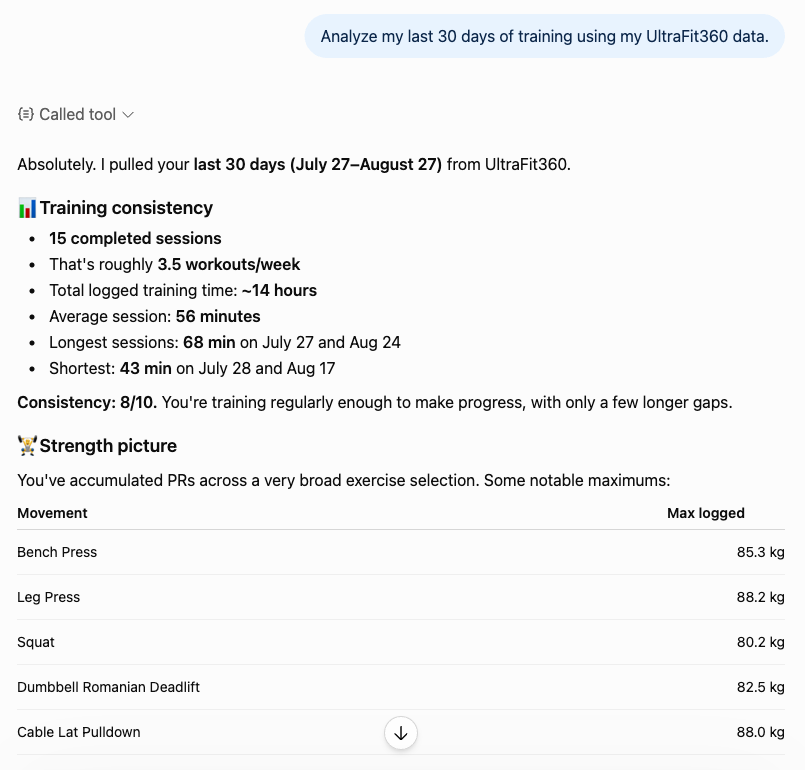
A real answer, pulled from actual logged sessions — not a guess.
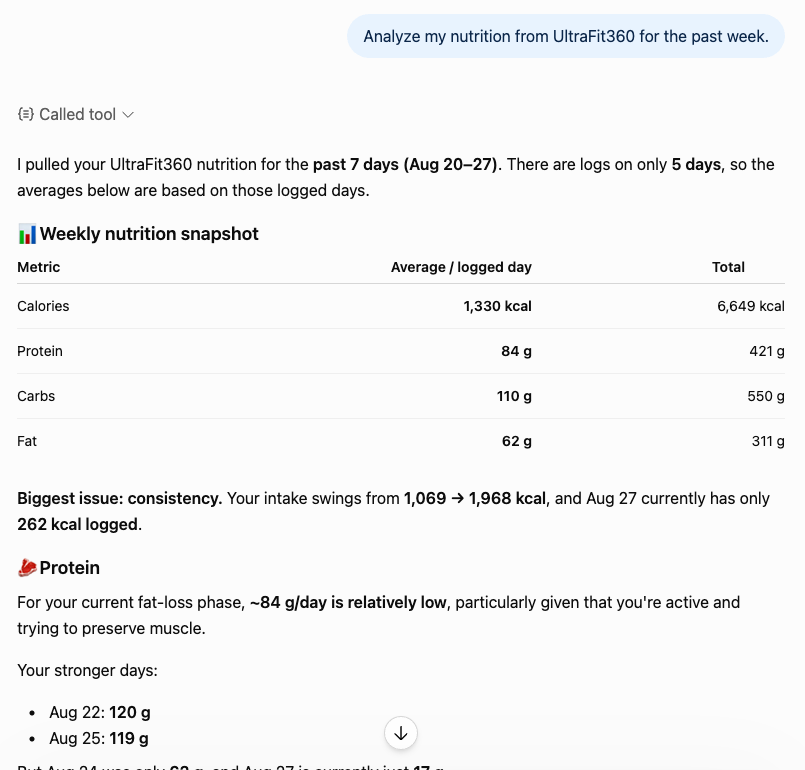
Nutrition analysis pulled straight from the food diary.
How to connect
Search "UltraFit360" in ChatGPT's plugin directory, open the listing, and sign in with your existing UltraFit360 account. No API key, no separate login. See the full step-by-step guide with screenshots → Or connect your account now →.
Frequently asked questions
No. You sign in with your existing UltraFit360 account (Google or email) during setup. There's no separate password or API key to manage.
Yes. Once connected, ChatGPT can read your logged workouts, nutrition, body metrics, and AI coaching memory to answer questions or give a progress report.
Yes, with your confirmation. Larger changes, like replacing your whole program, are proposed first and only saved after you approve. A single exercise swap can happen immediately.
No. Every connection grants both read and write access together — there's no separate read-only tier today.
It can't send messages to a human coach, manage scheduling or check-ins, or analyze meal/progress photos — those aren't exposed through the connector yet.
Related
Try It Free
Download UltraFit360, connect it to ChatGPT, and start coaching by chat.