💡 Key Takeaways
- Steps and stand hours are the trackers' most reliable outputs and the perfect counter-metric to a sedentary day — watch the daily and weekly trend, not one number.
- A phone left on your desk counts no steps; if you rely on phone-only tracking, your real movement is undercounted whenever you set it down.
- Ignore the watch's calorie estimate — it carries wide error and tempts bad diet math; resting HR and sleep trends tell you far more about your health.
- Pick one source per metric and grant the right read permissions, or your data will either double-count or silently show as 'no data.'
Does sitting at a desk for nine hours actually cancel out my workout, and can my phone tell me anything useful about it? Sitting that long does blunt some of the benefits even in people who train — but your devices can absolutely help, if you track the right things. The short answer: use steps and stand hours to make your sedentary time visible and chip away at it, watch resting HR and sleep as multi-week trends, and ignore the calorie number entirely.
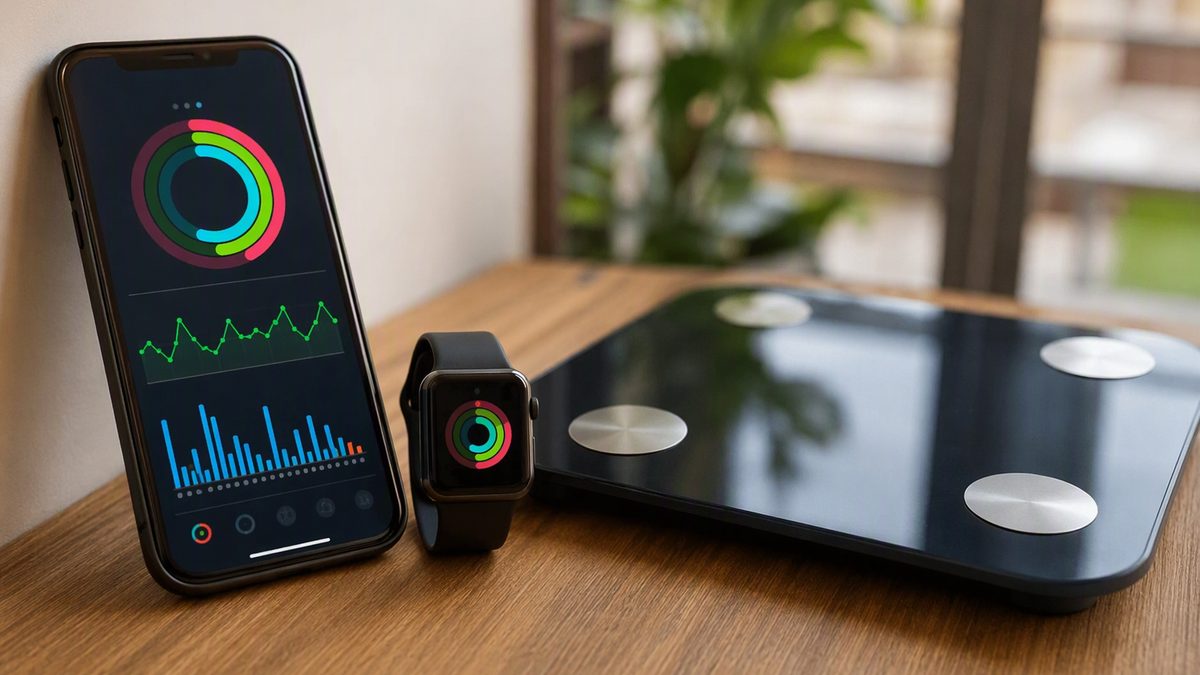
Apple Health is the hub that makes this easy. It's not a sensor — it's an aggregator that collects readings from your iPhone's motion chip, an Apple Watch, and third-party apps into one timeline, then lets approved apps read and write to it. For a desk worker, that means your steps, stand reminders, lunchtime walk, gym session, and sleep all land in one place you can actually glance at and act on.
The goal isn't a dashboard you ignore. It's a couple of honest numbers that nudge you out of the chair and let you see, over weeks, whether your habits are actually moving. Here's how to set it up, which metrics to trust, and how to read them around a 9-to-6.
1. The Question Behind the Desk: Does My Workout Cancel the Sitting?
Direct answer: a single workout helps, but it doesn't fully undo long unbroken sitting. Hours of sedentary time blunt insulin sensitivity and fat-handling enzymes even in people who exercise, which is why the useful target isn't just 'did I train' but 'did I break up the sitting.' That reframes what to track: instead of the gym hour, you watch the all-day movement your devices measure best.
Steps and walking distance are the trackers' strongest, best-validated metrics under normal conditions. Stand hours — the Apple Watch's count of hours in which you stood and moved a little — are a crude but genuinely useful proxy for breaking up sitting. Neither requires the precision the calorie counter pretends to have; they just need to point you toward more movement spread across the day. A movement snack every hour, a walking meeting, the stairs: these show up in the data and blunt the metabolic cost of the chair. The point of integrating your data is to make that pattern visible enough that you act on it — self-monitoring is one of the strongest predictors of behavior change.
2. Wiring Steps, Stand Hours, and Your Watch Into One Timeline
Here's how the pieces connect. Third-party apps never talk to each other directly — they all talk to HealthKit. Your phone's motion chip writes steps; an Apple Watch writes stand hours, exercise minutes, and heart rate; a habit or fitness app reads those out to show you progress. Apple Health is the shared exchange, and permissions are granular and split by direction, so you grant read and write per data type. You can let a habit-tracking app read your steps without giving it your heart rate.
Two setup traps catch desk workers. First, phone-only step counting: your iPhone counts steps only while you carry it, so every time it sits on your desk — most of the workday — those steps vanish. If steps matter, wear the watch or keep the phone on you. Second, the silent-permission quirk: for privacy, iOS never tells an app it was denied read access, so a denied read just looks like 'no data.' When your habit app shows an empty step chart, it almost always needs read permission granted, not reinstalling. Verify any new connection by checking that today's steps actually appear in the Health app. If you're shopping for an app to read your data, our fitness app guide can point you to one worth granting access.
3. Which Numbers a Desk Worker Should Actually Watch
Most of the metrics on your watch face don't deserve your attention. A few do. The table separates the signal from the noise for someone whose main battle is a sedentary day, with the practical move for each.
| Metric | Trust level | Desk-worker use | Caveat |
|---|---|---|---|
| Steps | High | Daily/weekly movement target; trend up | Phone on the desk undercounts |
| Stand hours | Useful proxy | Aim to move once an hour | Crude; rewards a minute of motion |
| Exercise minutes | Good | Confirm your lunch walk/gym counted | Needs sustained brisk effort |
| Resting HR (overnight) | Good as a trend | Falling trend = fitness improving | Read baseline, not one night |
| Sleep duration | Reliable | Protect consistency vs late screens | Stage breakdown is rough |
| Sleep stages | Approximate | Loose context only | Inferred, not diagnostic |
| Calories burned | Low | Skip it for diet math | Wide error; misleads deficits |
The shape of the advice: steps and stand hours are your daily levers, sleep duration and resting HR are your weekly health trends, and the calorie number is the one to stop looking at. Total sleep time and timing are reliable and actionable; the light/deep/REM breakdown is inferred from movement and heart rate and is only rough context — useful as a nudge toward consistency, not a diagnosis.
4. Reading Trends Around a 9-to-6 (Not Chasing Daily Digits)
The biggest mindset shift is to stop reacting to single days. One low-step deadline day means nothing; a count sliding for three weeks means your habits drifted. Read these as trends for the same person on the same device — the signal is direction over weeks, not today's digit, which carries device error and noise anyway. A bad day isn't a failure; it's one point on a line.
Two trends are worth a weekly glance. Resting heart rate, captured overnight, tends to fall as fitness improves, so a steady or declining baseline is reassuring; a sustained multi-day rise can flag under-recovery, illness, or stress — relevant when work pressure spikes. Sleep duration and consistency are your other anchor, because screen-pushed late nights are a desk worker's classic energy leak, and that 3pm slump often traces back to short, irregular sleep more than to anything in your training. Pick one or two of these, check them weekly, and let them inform real changes — an earlier wind-down, a standing block after lunch — rather than chasing a perfect daily score. Consistent self-monitoring of this kind reliably improves activity behavior; that engagement, not the sensor, is the real payoff.
5. Privacy, Permissions, and Avoiding Double-Counted Data
Two housekeeping habits keep your setup honest and your data yours. The first is avoiding double-counting. If your phone and your watch both log steps or workouts, or two apps both write the same activity, your totals inflate and your trend lies. Apple Health de-duplicates same-type data from its own paired devices, but third-party apps writing overlapping data can still create duplicates — so designate one source per metric (the watch for activity, one app for any manual logging) and don't grant redundant write access. Logging a walk an app already auto-detected is a common culprit.
The second is privacy hygiene, which matters more for health data than almost anything else on your phone. Apple Health stores data on-device and encrypts it when iCloud sync is on, and HealthKit bars apps from using your health data for advertising or selling it. But anything you export out of Health into a third-party cloud is then governed by that app's policy, not Apple's. So grant only the data types an app genuinely needs, prune permissions periodically in Settings then Health, and revoke access for apps you've stopped using. Because permissions are granular and direction-split, you can share narrowly — give a step-challenge app your steps and nothing else. One last reality check: these are wellness tools, not medical devices. A consumer ECG or irregular-rhythm alert is a prompt to see a clinician, never a diagnosis, and persistent desk-related pain deserves clinical eyes rather than a tracking app.
What Desk Workers Ask About Apple Health
Does sitting all day really cancel out my workout, and can my watch show it?
A workout helps but doesn't fully undo long unbroken sitting, which blunts insulin sensitivity even in people who train. Your watch can't measure that directly, but steps and stand hours make your sedentary time visible so you can break it up — a movement snack each hour, a lunch walk. Track those as trends rather than chasing a calorie number. Making the pattern visible is what helps you act on it consistently, which is the real benefit.
When should I check this data around a 9-to-6 schedule?
Not constantly — that's the trap. Glance at steps and stand hours through the day only as a nudge to move, and review resting HR and sleep as weekly trends, not daily digits. A single low-step deadline day means nothing; a three-week downward slide means your habits drifted. Reading the direction over weeks, rather than reacting to today's number, is both more accurate and far less stressful than chasing a perfect daily score.
Why does my step count look low even though I walked a lot?
Almost certainly your phone was on your desk. An iPhone counts steps only while you carry it, so any steps taken while it sits on the desk — most of the workday — simply don't register. Wear an Apple Watch or keep the phone on you if steps matter to you. Also check permissions: iOS won't tell an app it was denied read access, so an empty step chart in a habit app often just needs the right read permission granted.
Should I trust the calories-burned number for losing weight at a desk job?
No. Calorie estimates are the weakest output of consumer trackers, carrying wide error, so building a precise deficit off them leads to bad math. For a desk worker, your better levers are visible: more steps and stand breaks against your sedentary trend, plus consistent sleep and a falling resting HR over weeks. Use the watch to track movement and recovery trends, not to ration calories, and let body changes follow steadier habits.
Disclaimer: This article is for educational purposes only and is not medical advice. Consult a qualified healthcare professional before starting any supplement, nutrition, or training protocol — especially if you are pregnant or breastfeeding, under 18, taking medication, or managing a health condition.
Scientific References & Clinical Sources
- Düking P, et al. Criterion-Validity of Commercially Available Physical Activity Tracker to Estimate Step Count, Covered Distance and Energy Expenditure during Sports Conditions. Front Physiol, 2017. PMID: 29018355
- Schoeppe S, et al. Efficacy of interventions that use apps to improve diet, physical activity and sedentary behaviour: a systematic review. Int J Behav Nutr Phys Act, 2016. PMID: 27927218
- Peake JM, et al. A Critical Review of Consumer Wearables, Mobile Applications, and Equipment for Providing Biofeedback, Monitoring Stress, and Sleep in Physically Active Populations. Front Physiol, 2018. PMID: 30002629
- Mercer K, et al. Acceptability and Utility of Wearable Activity Trackers for Health Monitoring Among Older Adults With Chronic Illness: Qualitative Study. JMIR Mhealth Uhealth, 2016. PMID: 27113645
- Plews DJ, et al. Training adaptation and heart rate variability in elite endurance athletes: opening the door to effective monitoring. Sports Med, 2013. PMID: 23852425