💡 Key Takeaways
- Read trends against your own rolling baseline, not the clock or population norms; a single post-night reading is noise.
- Tag your main overnight sleep block correctly so HRV and resting HR are captured during real rest, whenever that falls.
- Pick one source per metric (Watch for HR and activity, one app for sleep) so rotating routines don't inflate totals.
- Treat 'calories burned' as ballpark and never use a watch number to justify skipping the sleep that night shift already steals.
The question shift workers actually type is some version of: "When do I read this stuff if my morning is at 8am one week and 8pm the next?" Fair question. Most wearable advice assumes a fixed 9-to-5, tells you to check your resting heart rate "first thing in the morning," and quietly breaks the moment your schedule rotates.
Short answer: anchor everything to your wake-time, not the clock-time, and read trends over weeks rather than reacting to any single reading. Apple Health does not care what hour you sleep; it cares that the data is tagged to your real rest block. Get that right and the same overnight HRV and resting-heart-rate signals work whether you wake at noon or midnight.
This page covers how to set Apple Health up so it follows your wake-window, which two metrics to actually watch through a rotation, and the honest limits of what a watch can tell a chronically sleep-short worker.
1. Where Do I Even Start On A Rotating Roster?
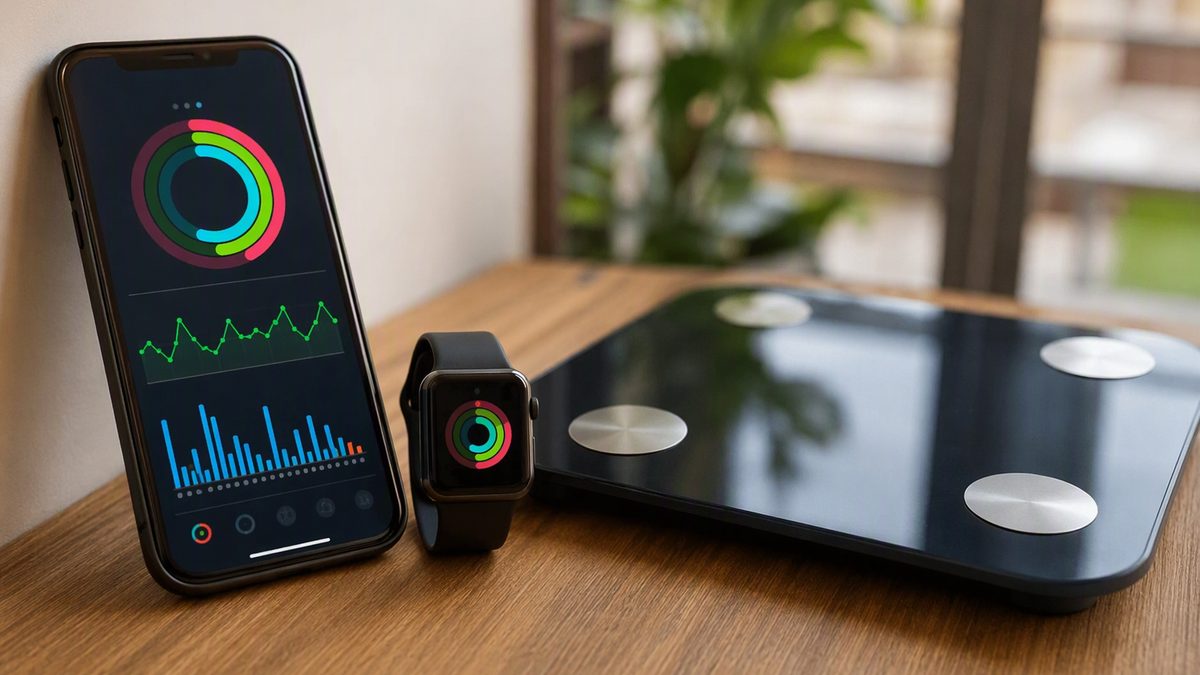
Start with what Apple Health is, because it changes how you use it. It is not a sensor; it is the iPhone's central hub. The Health app, backed by HealthKit, collects readings from your Watch, the phone's motion chip, and any third-party apps you approve, then stores them on-device in one timeline. Apps do not talk to each other directly, they all read from and write to that shared hub.
For you, the practical setup is short. Pair your Watch so its heart-rate and activity data flow in. Install only the apps you need, a sleep app, maybe a coaching app, and grant each the specific data types it asks for. Crucially, when an app asks for access, iOS shows a per-type screen and shares nothing until you approve, and for privacy it will not tell an app it was denied read access, so a blocked read just looks like empty data. If your numbers "aren't syncing," the usual cause is a read permission you never granted, not a broken app.
Then pick one source of truth per metric. With rotating shifts you will install and uninstall apps over time, and every redundant writer is a chance to double-count. Let the Watch own heart rate and activity, let one app own sleep, and verify a new connection by checking that today's steps or last sleep block actually appear in the Health app before you trust it.
2. When Do I Read It On Night Shift?
Here is the rule that survives a rotation: read against your wake-window, not the wall clock. Resting heart rate and HRV are most trustworthy from your main overnight rest block, and "overnight" for you might be 9am to 4pm after a run of nights. As long as your Watch captures that real sleep block and the app tags it as your primary sleep, the readings are valid. The mistake is comparing a daytime-sleep reading against a friend's 6am-wake number, or against your own number from a day-shift week, both are apples to oranges.
This table maps the read-and-act logic onto a typical rotation. Doses are intervals and thresholds, not pills.
| Phase | Read window | Metric to weight | Action signal |
|---|---|---|---|
| Run of night shifts | After main daytime sleep block | Sleep duration + resting HR | RHR up 5+ bpm over 3+ days: ease intensity |
| Day off mid-rotation | On waking, any hour | HRV vs 7-day rolling average | HRV below baseline: keep it easy, don't 'make up' training |
| Rotating back to days | First 2-3 mornings | Sleep consistency, not stages | Expect noise; don't react to single days during the flip |
| Stretch of days off | Consistent wake time | Trend across all four metrics | Trends recovering: green light to push |
Two refinements. Use a 7-day rolling average for HRV and resting HR, never a one-off, because circadian disruption already makes your day-to-day values jump. And during the 2-3 days when you flip rotations, expect the data to look ugly and read it loosely, your body is realigning, and a single bad number then means almost nothing.
3. How Accurate Is Any Of This After A 12-Hour Night?
Honest answer: it depends entirely on the metric. Steps and distance are the trackers' strongest output, validated as accurate under normal conditions, though they undercount when your arm isn't swinging, pushing a gurney, holding a rail, carrying boxes, and the phone counts nothing while it sits at the nurses' station. Wrist heart rate is reasonably accurate at rest and steady effort but drifts during hard intervals and with cold skin or poor fit. For you, the most reliable readings are exactly the at-rest ones, overnight HRV and resting HR.
The weakest output by far is calories. Energy-expenditure estimates from consumer trackers carry wide error and should be treated as ballpark, not truth. Do not build a precise diet deficit off your watch's "calories burned" after a long shift, use it only to compare one day loosely against another. Sleep is in between: total sleep time and timing are estimated reliably, but the light/deep/REM stage breakdown is inferred from movement and heart rate and is far less accurate than a clinical study. Watch your sleep duration and consistency; treat the stage percentages as rough context.
The line that matters most for your population: no watch metric offsets sleep debt, and the data should never be used to talk yourself out of sleep. Circadian misalignment already blunts insulin sensitivity, raises cortisol, and fragments your sleep. The wearable's job is to make that visible enough to protect your rest, not to suggest a green HRV reading means you can skip it.
4. Can The Data Offset Bad Sleep Or Just Show Me It?
It can only show you, and that is still useful. The real payoff of integrating your data is not the sensors, it is engagement, app-based tracking of activity and behaviour reliably improves those behaviours in controlled trials, and consistent self-monitoring is one of the strongest predictors of actually changing a habit. For a shift worker, seeing a resting-heart-rate line creep up across a hard rotation is the nudge to bank an extra hour of sleep on your next swing day instead of crashing into a stimulant-fueled "recovery" workout.
So keep it simple. One or two metrics read consistently beat a crowded dashboard you react to on impulse, and any single day's value should rarely override how you actually feel. If you want help turning a visible trend into a routine that anchors to your wake-time rather than the clock, our guide to building fitness habits pairs well with this approach.
One safety note that is specific to you: these are wellness aids, not medical devices. An irregular-rhythm alert or a low cardio-fitness estimate is a prompt to see a clinician, not a diagnosis, and that matters more in a population with documented higher baseline illness and injury risk. And drowsy driving after a string of nights is a genuine danger no metric fixes, when the data and your gut both say you are wrecked, the answer is sleep, not a session.
Apple Health Questions From The Night Shift
When should I read my resting heart rate and HRV if I sleep during the day?
Read them against your main overnight rest block, whatever hour that falls. If you sleep 9am to 4pm after nights, that is your 'overnight' and those at-rest readings are the trustworthy ones. The key is making sure your Watch captures that real sleep block and your app tags it as primary sleep. Then compare to your own 7-day rolling average, never to a day-shift week or a friend's morning number.
Does rotating shifts ruin the consistency these metrics need?
It adds noise, but it doesn't ruin them if you read trends instead of single days. Anchor everything to your wake-time, use 7-day rolling averages for HRV and resting heart rate, and expect the 2-3 days around a rotation flip to look ugly, that's realignment, not a problem to fix. The signal is the direction over weeks. A single post-night reading is noise you should mostly ignore.
Can a good HRV reading offset a bad night of sleep?
No. The watch can only show you the sleep debt, not erase it. Circadian disruption already blunts insulin sensitivity and raises cortisol, and no metric buys back lost rest. Treat a green reading as permission to train normally, not as a reason to skip sleep for a workout. For your population, sleep is the dominant health variable, and the data's best job is nudging you to protect it on swing days.
Why do my totals look inflated some weeks?
Almost always double-counting. If two apps both write steps or workouts, or you manually log a session your Watch also auto-detects, totals inflate. Apple Health de-duplicates data from its own paired devices, but third-party apps writing overlapping data can still create duplicates. Fix it by designating one source per metric, Watch for activity and heart rate, one app for sleep, and not granting write access for the same data type to multiple apps.
Disclaimer: This article is for educational purposes only and is not medical advice. Consult a qualified healthcare professional before starting any supplement, nutrition, or training protocol — especially if you are pregnant or breastfeeding, under 18, taking medication, or managing a health condition.
Scientific References & Clinical Sources
- Plews DJ, et al. Training adaptation and heart rate variability in elite endurance athletes: opening the door to effective monitoring. Sports Med, 2013. PMID: 23852425
- Düking P, et al. Criterion-Validity of Commercially Available Physical Activity Tracker to Estimate Step Count, Covered Distance and Energy Expenditure during Sports Conditions. Front Physiol, 2017. PMID: 29018355
- Peake JM, et al. A Critical Review of Consumer Wearables, Mobile Applications, and Equipment for Providing Biofeedback, Monitoring Stress, and Sleep in Physically Active Populations. Front Physiol, 2018. PMID: 30002629
- Schoeppe S, et al. Efficacy of interventions that use apps to improve diet, physical activity and sedentary behaviour: a systematic review. Int J Behav Nutr Phys Act, 2016. PMID: 27927218
- Kiviniemi AM, et al. Daily exercise prescription on the basis of HR variability among men and women. Int J Sports Med, 2007. PMID: 17345075
UltraFit360 brings your workouts, nutrition and wearable data together. See how the AI fitness tracker works with Apple Health and Health Connect.