How to do a Weighted Pull-Up
The Weighted Pull-Up is an intermediate weighted exercise that works your lats, with help from your biceps and forearms.
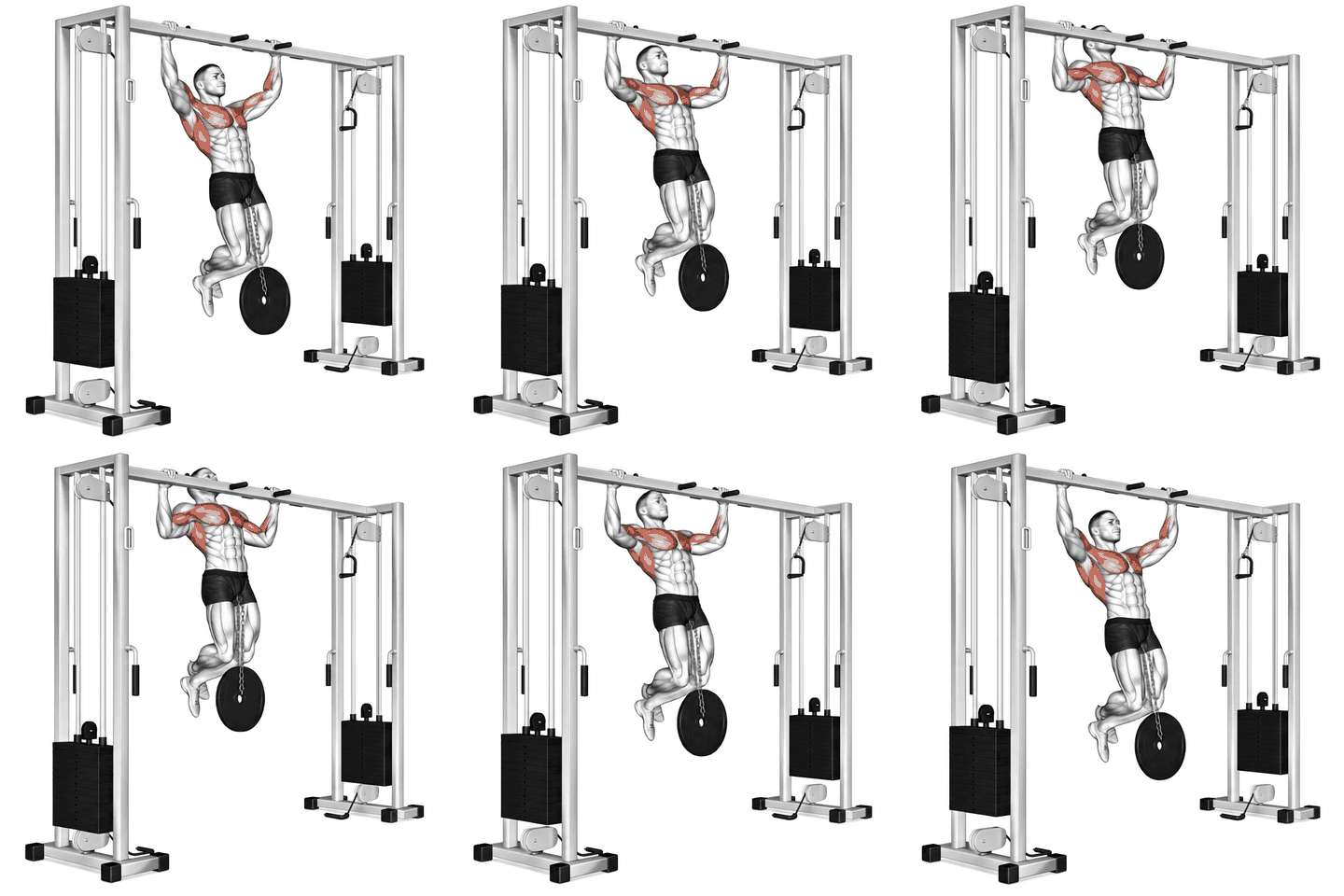
How to do a Weighted Pull-Up, step by step
- Grab the pull-up bar with an overhand grip, slightly wider than shoulder-width apart.
- Hang from the bar with your arms fully extended and your body straight.
- Engage your back muscles and pull your body up towards the bar, keeping your elbows close to your body.
- Continue pulling until your chin is above the bar.
- Pause for a moment at the top, then slowly lower your body back down to the starting position.
- Repeat for the desired number of repetitions.
Muscles worked
Common mistakes
- Using momentum to pull up
- Not fully extending arms at the bottom
- Not engaging back muscles
Sets and reps by goal
| Goal | Sets x reps |
|---|---|
| Strength | 4-6 sets x 3-6 reps |
| Muscle growth | 3-4 sets x 8-12 reps |
| Endurance | 2-3 sets x 15-20 reps |
| Power | 3-5 sets x 3-5 reps |
Alternatives, progressions and regressions
Easier variation
More exercises for the same muscles
Frequently asked questions
What muscles does the Weighted Pull-Up work?
The Weighted Pull-Up mainly works your lats. It also works your biceps and forearms.
Is the Weighted Pull-Up good for beginners?
It can be, with some coaching. The Weighted Pull-Up is rated intermediate, so it suits people who already know the basic movements. Beginners should start light or begin with an easier variation.
How many sets and reps of the Weighted Pull-Up should I do?
A good starting point is 4-6 sets x 3-6 reps for strength, 3-4 sets x 8-12 reps for muscle growth and 2-3 sets x 15-20 reps for endurance. Rest 1 to 3 minutes between sets and add weight when you reach the top of the rep range with good form.
What can I do instead of the Weighted Pull-Up?
Good alternatives are Chin-Up, Dumbbell One-Arm Row and Pull-Up.
Put it in a workout plan
Track your Weighted Pull-Up in UltraFit360
Log sets and reps, see your previous weights and let the app build your program. Free on iOS and Android.