💡 Key Takeaways
- Trust the step count and trust the resting heart rate trend; treat the 'calories burned' figure as a rough guess that can be off by hundreds.
- The signal that matters is direction over weeks — a resting heart rate that drifts down month over month means your aerobic base is improving.
- Pushing a walker, holding the pool rail, or gripping a cart stops your arm swinging, so the Watch undercounts those steps; check the phone's count too.
- Set up one source per number (the Watch for steps and heart rate) so your daily total doesn't double when both phone and Watch log the same walk.
A family member probably gifted you the Apple Watch, set it on your wrist, and left you with a screen full of numbers nobody explained. The rings nag you. The 'calories' figure feels arbitrary. And the one question that actually matters to you after 60 — is my training working, or am I just busy? — goes unanswered. That is the real problem with most health-tracking advice: it hands you data without telling you which parts to believe.
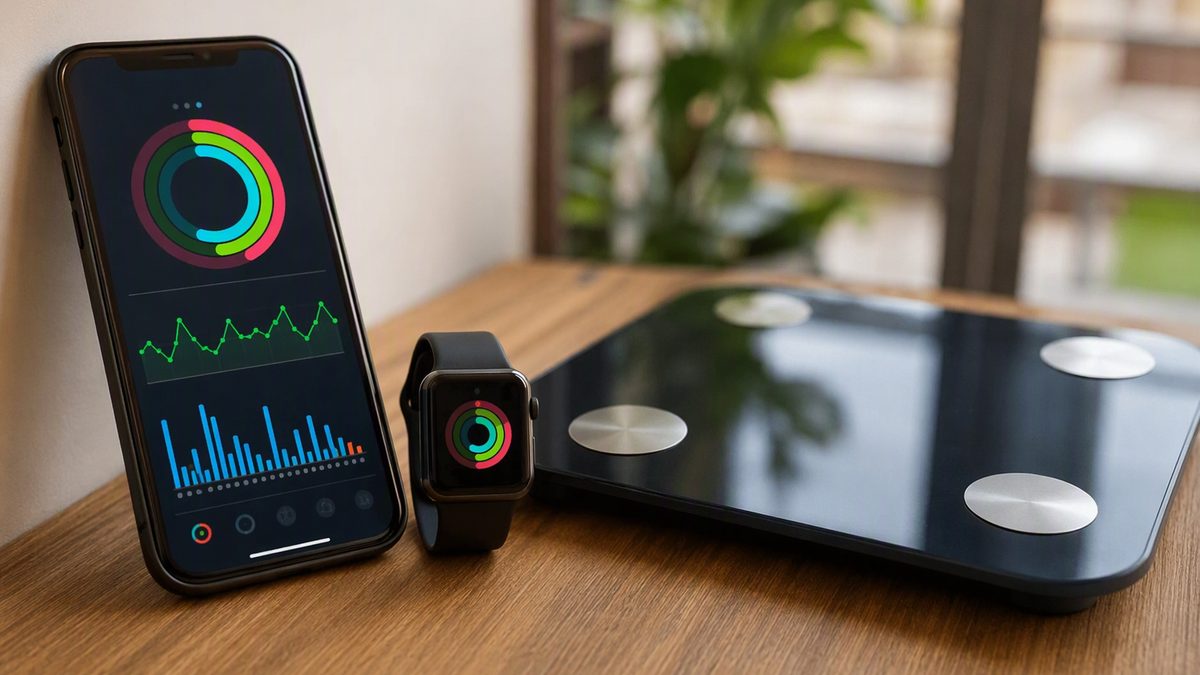
Apple Health is not a sensor. It is the hub on your iPhone that gathers what the Watch and other apps record, then stores it in one timeline. The skill is not collecting more numbers. It is knowing which two or three to read, and reading them as trends rather than daily verdicts.
This guide sorts the trustworthy from the rough, ties each number to the goals that matter at your stage — keeping muscle, protecting bone, staying steady on your feet — and keeps it simple enough to act on every week.
1. The Problem: A Wrist Full of Numbers, No Idea Which Ones Are Real
Here is the uncomfortable truth that the marketing skips: consumer wearables are accurate for some metrics and genuinely weak for others, and the difference is not obvious from the screen. A step count and a calorie estimate sit side by side in the same clean font, looking equally authoritative. They are not. Validation testing of commercial trackers found step count and distance hold up well, while energy expenditure — the calorie figure — is estimated poorly, with large error. Believing the calorie number is the most common way seniors get misled by these devices.
This matters more for you than for a 25-year-old, because your goals depend on reading the body honestly. Anabolic resistance means you need a real training stimulus to hold muscle; a falsely reassuring activity score can let gentle, ineffective sessions feel productive. Recovery is slower, so a true read on rest matters. And reduced thirst signals mean you cannot rely on feel alone for hydration. The fix is to stop treating the Watch as a verdict machine and start using it as a trend instrument for the handful of numbers it actually measures well.
2. What the Watch Gets Right (and Wrong) for an Older Body
Sort every metric into one of three buckets before you trust it: solid, useful-as-trend, and rough. The table below does that with the numbers that matter most for staying strong and steady. Read the right-hand column as your instruction, not the digit on the face.
| Metric | How accurate | How to use it after 60 |
|---|---|---|
| Steps | Good — strong validity in normal walking | A reliable daily target. Aim to nudge your own weekly average up; undercounts when you grip a cart, walker, or pool rail |
| Walking distance | Good | Pairs with steps to confirm real movement; trust it for pacing daily walks |
| Resting heart rate | Trustworthy at rest, best overnight | Your single best fitness gauge — a slow drift downward over months means aerobic fitness is improving |
| Heart rate during steady walks | Reasonable at moderate, steady effort | Useful for keeping easy walks easy; less reliable during quick or jerky movement |
| Heart rate variability (HRV) | Noisy day to day; read the baseline | Compare only to your own rolling average, never a friend's; a sustained dip can flag illness or poor recovery |
| Sleep duration | Good for total time and timing | Track hours and consistency; this is the actionable part |
| Sleep stages (deep/REM) | Approximate — inferred, not measured | Loose context only; don't chase the percentages |
| Active calories | Poor — wide error | Never base a diet or 'I earned this' on it; use only to compare your own busy day vs. quiet day |
Two honest cautions that fit your stage. The Watch's heart-rate read can wander during weight work or fidgety movement, so don't panic at an odd spike. And any irregular-rhythm or ECG alert is a prompt to call your doctor, never a diagnosis — especially worth knowing if you take blood-pressure medication.
3. Reading the Resting Heart Rate Trend Instead of the Daily Number
If you watch only one number, make it resting heart rate, captured overnight. It is the metric the Watch measures most reliably and the one most tied to the fitness you are trying to keep. The rule is simple: the daily digit is noise, the multi-week line is signal. A morning that reads four beats higher than yesterday means nothing — hydration, a poor night, or stress can move it. A resting rate that has settled lower across a month means your aerobic base genuinely improved.
This trend reading protects you in both directions. A slow downward drift is reassurance that your walking and resistance work are paying off, which keeps you consistent — and consistent self-monitoring is itself one of the strongest drivers of sticking with healthy habits. A sudden, sustained jump of several beats over a few days, on the other hand, is an early flag for under-recovery, dehydration (your blunted thirst makes this easy to miss), or a brewing illness. On those days, take the gentler walk and skip the harder session. The same logic applies to HRV: read your own rolling baseline, not any single morning's value, and never compare it to anyone else's wrist.
4. Setting Up Apple Health So It Doesn't Double-Count Your Walk
Most setup frustration for seniors comes from two fixable issues: data that won't appear, and totals that look inflated. Both have plain solutions. When a connected app shows 'no data,' the usual cause is a missed permission. For privacy, iOS does not warn an app that it was denied — a blocked read simply looks empty — so granting the right read access up front is the cure for the classic 'it won't sync.' If a number is missing, open Settings, find Health, and confirm the app may read that data type.
- Pick one source per number. Let the Watch own steps and heart rate. Apple Health de-duplicates activity from its own paired devices, but if a third-party app also writes steps, your total can inflate. Don't grant write access for the same metric to several apps.
- Don't log what the Watch already records. Manually adding a walk the Watch also auto-detected is the most common cause of a doubled total.
- Open syncing apps now and then. Health lives on your device, so an app often must be opened for its recent data to flow in; a number can lag until it next syncs.
- Verify a new connection. After linking any app or scale, check that today's steps or last walk actually show up in the Health app before trusting it.
- Share narrowly. Grant only the data types an app truly needs, and prune permissions for apps you no longer use in Settings > Health.
For a gentle overview of which apps are worth your time, our guide to the best fitness apps is a sensible starting point before you connect anything new.
5. A Simple Weekly Routine That Respects Slower Recovery
You don't need a dashboard. You need a five-minute weekly check that turns honest data into a safer plan. Once a week — same morning, same coffee — open Health and look at exactly four lines over the past month: average daily steps, resting heart rate, sleep hours, and (if you track it) HRV. You are reading direction, not a single day.
If steps are trending up and resting heart rate is holding or drifting down, your program is working; keep going and resist the classic senior mistake of training so gently there's no stimulus left. If resting heart rate has crept up for several days and sleep is short, that's the body asking for an easier week. Build the plan around resistance work two to three days a week — the part that defends muscle and bone — plus daily walking, and let the trend lines tell you when to back off. One reminder the device cannot give: if you take statins, blood-pressure, or kidney medication, your doctor owns the safety calls, and any rhythm alert belongs in their hands.
Apple Health Questions Active Seniors Actually Ask
Is it safe to trust my Apple Watch readings if I'm on blood-pressure medication?
Use the Watch for fitness trends, not medical decisions. Its resting heart rate trend and step count are reliable enough to guide training, but it is a wellness aid, not a medical device. Any irregular-rhythm notification or ECG result is a screening prompt to call your doctor, never a diagnosis. Keep your prescribed monitoring exactly as your clinician set it, and bring any odd, persistent readings to them rather than self-adjusting medication.
Why does my Watch step count seem low on my pool or pickleball days?
Because the Watch counts steps from arm swing. When you hold the pool rail, grip a walker, or carry equipment, your arm isn't swinging freely, so it undercounts. Non-stepping activity like aqua exercise barely registers as steps at all. That doesn't mean the session didn't count — it means steps aren't the right gauge for it. Log those as workouts instead, and judge them by how you feel and recover, not the step number.
Should I worry about the 'calories burned' number being too low?
No — that figure is the weakest thing your Watch reports, estimated with wide error, so neither a high nor a low reading is trustworthy as an exact number. Don't build your eating around it, and certainly don't under-eat protein to match it; holding muscle after 60 needs adequate protein, not a calorie deficit chased on a watch. Use the calorie figure only to compare your own active day against a quiet one, never as a precise target.
My data stopped showing up in an app — did I break something?
Almost certainly not. The most common cause is a permission that was never granted or got switched off. For privacy, iOS won't tell the app it was denied, so the app just looks empty. Open Settings, go to Health, find the app, and switch on read access for the data types it needs. Then open the app once so recent data syncs across. Verify by checking that today's steps now appear.
Disclaimer: This article is for educational purposes only and is not medical advice. Consult a qualified healthcare professional before starting any supplement, nutrition, or training protocol — especially if you are pregnant or breastfeeding, under 18, taking medication, or managing a health condition.
Scientific References & Clinical Sources
- Düking P, et al. Criterion-Validity of Commercially Available Physical Activity Tracker to Estimate Step Count, Covered Distance and Energy Expenditure during Sports Conditions. Front Physiol, 2017. PMID: 29018355
- Peake JM, et al. A Critical Review of Consumer Wearables, Mobile Applications, and Equipment for Providing Biofeedback, Monitoring Stress, and Sleep in Physically Active Populations. Front Physiol, 2018. PMID: 30002629
- Plews DJ, et al. Training adaptation and heart rate variability in elite endurance athletes: opening the door to effective monitoring. Sports Med, 2013. PMID: 23852425
- Mercer K, et al. Acceptability and Utility of Wearable Activity Trackers for Health Monitoring Among Older Adults With Chronic Illness: Qualitative Study. JMIR Mhealth Uhealth, 2016. PMID: 27113645
- Schoeppe S, et al. Efficacy of interventions that use apps to improve diet, physical activity and sedentary behaviour: a systematic review. Int J Behav Nutr Phys Act, 2016. PMID: 27927218