💡 Key Takeaways
- Set permissions with a parent and keep your coach informed, your health data is sensitive and you're a minor.
- Check sleep and resting-HR trends once a week, not session by session; single match-day numbers mean little.
- On tournament weekends, watch resting HR and sleep across games, but fuel with real food, not by any calorie figure.
- Pick one source per metric so your phone and watch don't double-count, and verify each session logs once.
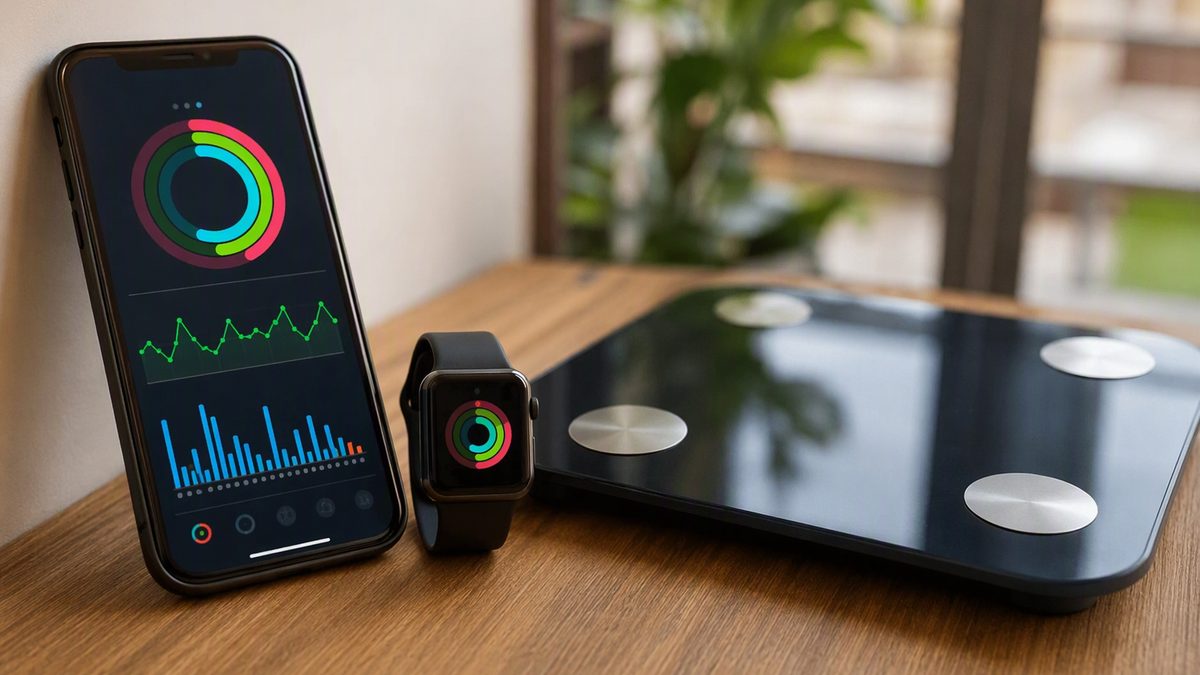
Picture a normal week: three or four club practices, school PE on top, a match or two, and maybe a tournament looming on the weekend. Somewhere in that crush, the question is where fitness data even fits, and the honest answer is that it fits in small, scheduled glances, not constant checking. Apple Health is just a hub on the iPhone that gathers your Watch, phone, and app data into one timeline; for a busy young player, the skill is reading the right trend at the right moment, then getting back to playing.
Two things shape how you should use it, both because you're under 18. Your health data is sensitive, so the setup belongs with a parent, and the numbers should never push you to eat less, because a growing, training body needs fuel, not restriction.
This page walks through your actual week, where a data check slots in, how to set it up safely with a parent, how to handle tournament weekends, and how to keep the logging clean, with food and the adults around you always coming first.
1. Where a Data Check Fits in a Match Week
Don't check your data after every session, you'd drown in noise and learn nothing. Slot it instead at a couple of fixed points in the week, and read trends, not single days. Here's a workable rhythm for a congested schedule.
| Point in week | What to glance at | How to read it |
|---|---|---|
| Monday (after weekend games) | Sleep + resting HR trend | Short sleep or raised RHR over weekend: take it easy early week |
| Mid-week (training block) | HRV vs 7-day average | Suppressed below baseline: keep the hard day moderate |
| Pre-match day | Sleep last 2-3 nights | Under 8 hours repeatedly: prioritise rest, tell a parent |
| Post-tournament | All trends + how you feel | Several off signals: plan a genuine recovery day |
Two rules make this work. First, the most important number for you is sleep, teens need 8-10 hours and rarely get them, and that one trend affects growth, recovery, and how well training pays off more than anything else on the screen. Second, read everything as a direction over the week, not a verdict on one morning; one bad night before a game tanks your HRV the next day, and that single number means almost nothing. A quick weekly glance with a parent beats obsessive daily checking.
2. Setting It Up Safely With a Parent and Coach
Because you're a minor, the setup step matters as much as the reading. Health data is sensitive, and when an app asks for access, iOS shows a screen where you toggle each data type on or off for reading and writing, and shares nothing until someone approves. Make those choices with a parent, granting only what an app genuinely needs, your workouts and sleep to a coaching app, say, not every category, and you can change or revoke any of it later in Settings, Health.
Keep your coach in the loop too, the same way you should with anything fitness-related at your age; the data is a tool for the adults guiding you, not a private dashboard. Apple does protect you in real ways, HealthKit bars apps from using your Health data for advertising or selling it, and stores it on-device, but anything you export into a third-party app's cloud follows that app's privacy policy, not Apple's. So connect only apps a parent has looked at, share narrowly, and prune permissions for any app you stop using.
If you're choosing what to install in the first place, do it together rather than copying a pro player's setup, and our overview of the best fitness apps is a sensible starting point for a parent-and-player conversation. The goal is a small, trusted set of apps, not a phone full of trackers a 13-year-old manages alone.
3. Surviving Tournament Weekends With the Data
Tournament weekends, three or four games across two days, are where the data earns a place, used lightly. Across the weekend, glance at two things between game days: your resting heart rate (is it climbing as fatigue stacks?) and last night's sleep (did you actually recover between matches?). A resting HR drifting up and short sleep two nights running say your tank is low, manage your effort, hydrate, and tell a parent, rather than treating every game as all-out. That's reading recovery, not chasing a score.
But here's the rule that outranks every number on tournament weekend: fuel with real food, not by any calorie figure. The "calories burned" number is the weakest, widest-error output a watch produces, and tournament weekends are notorious for being run on snack-bar fuel. You're growing and playing multiple games, so you need consistent meals and snacks across the weekend, packed with a parent, not a deficit a screen invented. If a number ever makes you want to eat less, that's a cue to talk to a parent, not the app.
Two safety lines no device replaces. Heat stress is real in summer tournaments, follow your event's heat policies and hydration plan, the watch won't manage that for you. And growth-plate pain, the kind that shows up around spurts like Osgood-Schlatter or Sever's, is a medical flag to get checked, never a data point to play through. The data supports the weekend; the adults make the calls.
4. Keeping the Logging Clean and the Numbers Honest
One technical habit keeps your data trustworthy: avoid double-counting. If both your iPhone in your bag and your Watch log activity, or two apps both write workouts, your totals inflate and the picture lies. Apple Health de-duplicates data from its own paired devices, but a third-party soccer or fitness app writing overlapping data can still create duplicates, and manually logging a session your Watch already auto-detected is a common cause. Fix it by picking one source per metric, let the Watch own activity and heart rate, let one app own anything else, and don't grant write access for the same data type to several apps.
One quirk to know with a parent: iOS won't tell an app it was denied read access, so an app that looks empty may just be missing a read permission you never granted, that's the usual reason "my data won't sync." After connecting anything new, check that today's steps or your last session actually appear once in the Health app, and open syncing apps now and then so recent data flows in.
Last, keep the numbers in honest perspective. These are wellness aids, not medical tools, estimated calories are rough, sleep stages are approximate, and even heart rate drifts during a sprint-heavy match. Any worrying reading or irregular-rhythm alert is a prompt to see a clinician with a parent, not a diagnosis. The data makes your training visible enough to stay consistent, and app-based tracking does reliably help people keep healthy habits, but food, sleep, and the adults guiding you matter far more than any digit.
Match-Week Apple Health Questions
Is this appropriate to use at my age?
Yes, with a parent involved in the setup. Because you're a minor, your health data is sensitive, so set app permissions with a parent, sharing only what each app truly needs, and keep your coach informed about what you're tracking. Apple stores the data on-device and bars apps from selling it, but anything exported to a third-party cloud follows that app's policy. So connect only apps a parent has checked, and prune ones you stop using.
How do I handle 4-game tournament weekends with the data?
Glance at two things between game days, your resting heart rate (is it climbing with fatigue?) and last night's sleep (did you recover?). If resting HR drifts up and sleep is short two nights running, manage your effort, hydrate, and tell a parent. But fuel by real food, not the calorie number, which is unreliable; pack consistent meals and snacks. Follow heat policies too, the watch won't manage heat stress for you.
Should the data tell me how much to eat?
No, food comes first and the calorie number is the one to ignore. Calories-burned estimates are the weakest, widest-error figure a watch produces, and you're growing and training, so you need more fuel, not less. Build your eating on regular meals and snacks with a parent's help, never on a screen. If a reading ever makes you want to eat less, that's a cue to talk to a parent or clinician, not the app.
What do I tell my coach and parents about this?
Tell them what you're tracking and why, and set it up together rather than alone. The data is a tool for the adults guiding you, not a secret dashboard, so share your sleep and recovery trends with them and let them help read the numbers over the week. Growth-plate pain or any worrying reading is a medical matter to raise with a parent and clinician, never something to play through based on an app.
Disclaimer: This article is for educational purposes only and is not medical advice. Consult a qualified healthcare professional before starting any supplement, nutrition, or training protocol — especially if you are pregnant or breastfeeding, under 18, taking medication, or managing a health condition.
Scientific References & Clinical Sources
- Düking P, et al. Criterion-Validity of Commercially Available Physical Activity Tracker to Estimate Step Count, Covered Distance and Energy Expenditure during Sports Conditions. Front Physiol, 2017. PMID: 29018355
- Peake JM, et al. A Critical Review of Consumer Wearables, Mobile Applications, and Equipment for Providing Biofeedback, Monitoring Stress, and Sleep in Physically Active Populations. Front Physiol, 2018. PMID: 30002629
- Plews DJ, et al. Training adaptation and heart rate variability in elite endurance athletes: opening the door to effective monitoring. Sports Med, 2013. PMID: 23852425
- Schoeppe S, et al. Efficacy of interventions that use apps to improve diet, physical activity and sedentary behaviour: a systematic review. Int J Behav Nutr Phys Act, 2016. PMID: 27927218
- Mercer K, et al. Acceptability and Utility of Wearable Activity Trackers for Health Monitoring Among Older Adults With Chronic Illness: Qualitative Study. JMIR Mhealth Uhealth, 2016. PMID: 27113645