How to do an Assisted Pull-Up
The Assisted Pull-Up is a beginner machine exercise that works your lats, with help from your biceps and forearms.
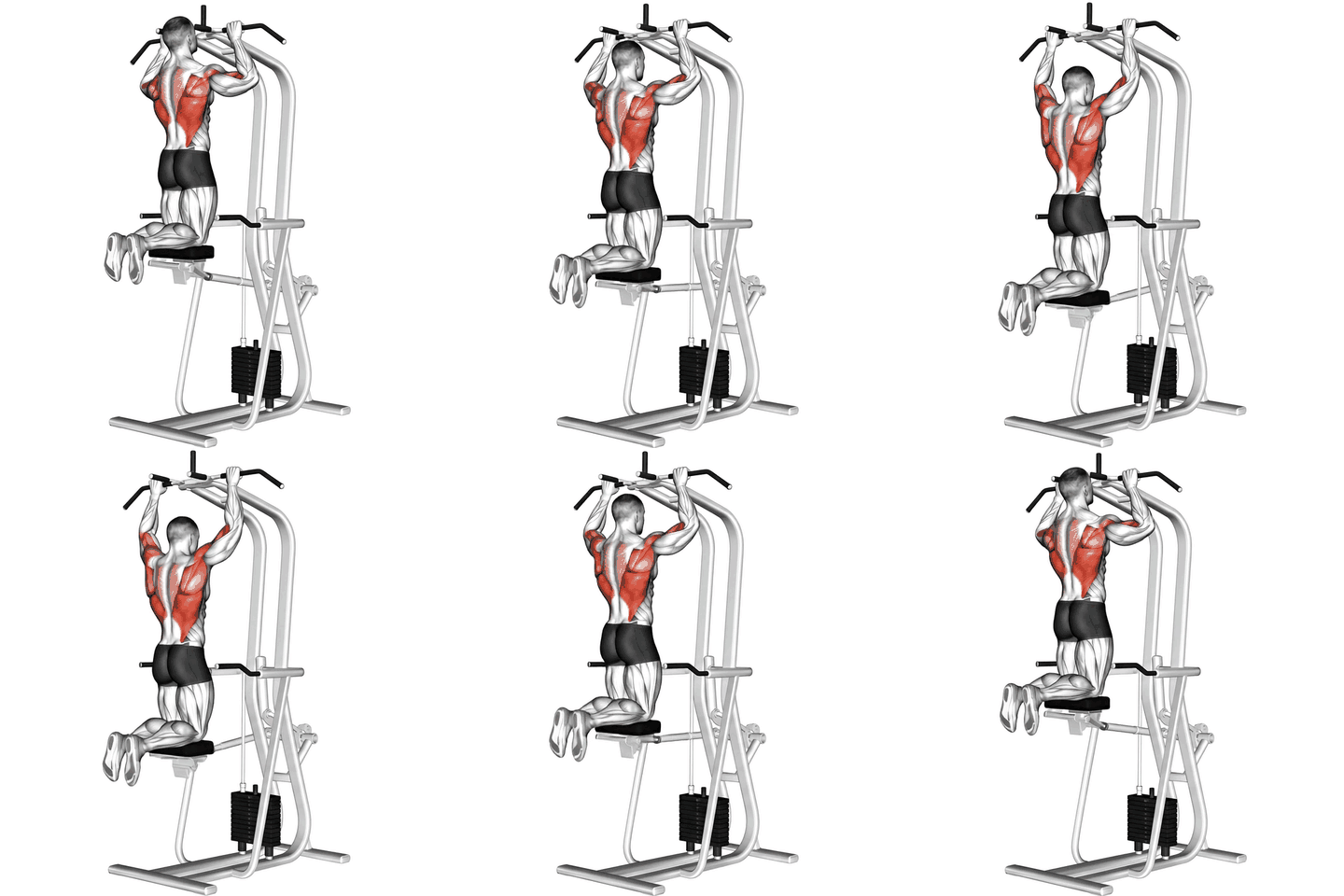
How to do an Assisted Pull-Up, step by step
- Adjust the machine to your desired weight and height settings.
- Grasp the handles with an overhand grip, slightly wider than shoulder-width apart.
- Hang with your arms fully extended and your feet off the ground.
- Engage your back muscles and pull your body up towards the handles, keeping your elbows close to your body.
- Continue pulling until your chin is above the handles.
- Pause for a moment at the top, then slowly lower your body back down to the starting position.
- Repeat for the desired number of repetitions.
Muscles worked
Common mistakes
- Using momentum to pull up
- Not engaging back muscles
- Arching the back
Sets and reps by goal
| Goal | Sets x reps |
|---|---|
| Strength | 4-6 sets x 3-6 reps |
| Muscle growth | 3-4 sets x 8-12 reps |
| Endurance | 2-3 sets x 15-20 reps |
| Power | 3-5 sets x 3-5 reps |
Alternatives, progressions and regressions
Harder variation
More exercises for the same muscles
Frequently asked questions
What muscles does the Assisted Pull-Up work?
The Assisted Pull-Up mainly works your lats. It also works your biceps and forearms.
Is the Assisted Pull-Up good for beginners?
Yes. The Assisted Pull-Up is a beginner-friendly exercise. Start with a light load or no load, learn the movement first and add weight gradually.
How many sets and reps of the Assisted Pull-Up should I do?
A good starting point is 4-6 sets x 3-6 reps for strength, 3-4 sets x 8-12 reps for muscle growth and 2-3 sets x 15-20 reps for endurance. Rest 1 to 3 minutes between sets and add weight when you reach the top of the rep range with good form.
What can I do instead of the Assisted Pull-Up?
Good alternatives are Bench Pull-ups, Chin-Up and Dumbbell One-Arm Row.
Put it in a workout plan
Track your Assisted Pull-Up in UltraFit360
Log sets and reps, see your previous weights and let the app build your program. Free on iOS and Android.