
For a fitness coach, "online booking" means two different things. One is a prospect picking a time for an intro call. The other is an existing client booking a session or class. Most scheduling tools are built for the second, and most coaches who ask about booking need the first: a way for someone who just found them on Instagram to get on their calendar without a week of DMs.
This guide is about the first kind. It covers the four ways UltraFit360 lets prospects book, how to set each one up, and where other coaching apps fit. The screenshots in this article show an example coach, Maya Reyes, a made-up online fat-loss and strength coach in Lisbon. They are not a real coach or real clients.
What a booking page has to do for a coach
A prospect should see your real open times, pick one and leave a name and email, in under a minute, on a phone. You should see the booking in one place with their details attached, and you should not have to check a second calendar to avoid a clash. Everything else (reminders, buffer times, round-robin teams) matters less for a solo coach than a page that loads fast and shows the right slots.
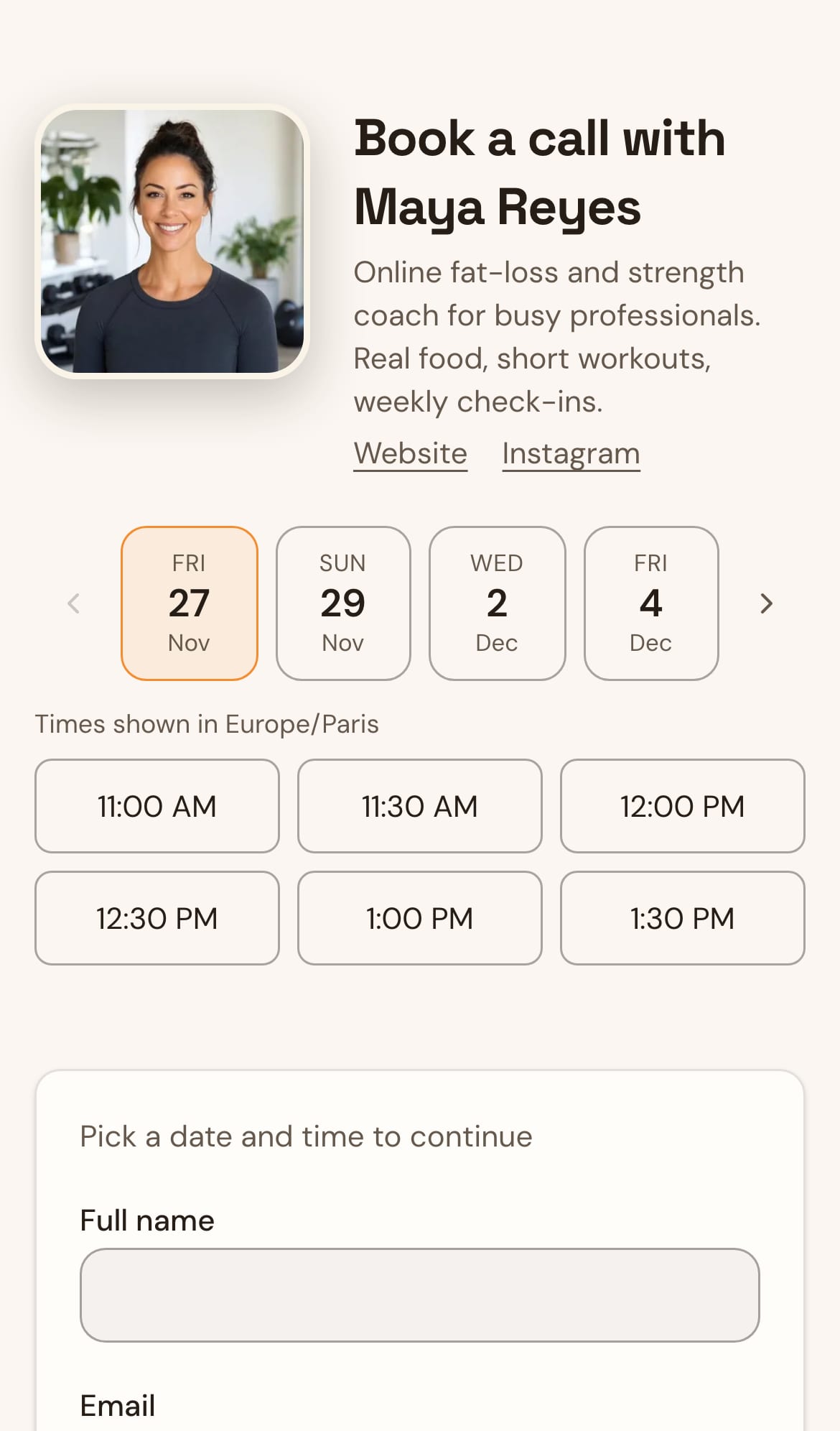
The booking page of the example coach: dates, time slots and a short form.
Way 1: the booking page
Every coach has a booking page at ultrafit360.com/book/<username>. It shows your photo, your short bio and the days you are open, with time slots on each. It can be open to anyone, or invite-only, so only people with a link from you can book.
To set it up, open Schedule in the coach portal and set your weekly hours, for example Tuesday and Thursday 10:00 to 13:00 and Saturday 09:00 to 11:00. Choose the call length (20 minutes works well for a first call) and add time-off blocks for holidays. Times show in the visitor's time zone, which matters when your clients are in different countries.
One limit to know about: there is no calendar sync. If you take other appointments in another calendar, block that time in Schedule so the page does not offer it.
Way 2: booking from your coaching page and bio link
Your coaching page at ultrafit360.com/coaches/<username> (also reachable at ultrafit360.com/l/<username>) has your profile, packages, an enquiry form and the AI assistant. With booking on, it also carries a button to book a call, so a prospect who is ready does not need a form at all.
Your bio link, ultrafit360.com/@<username>, opens either that coaching page or a link page of quick buttons, and the link page's first button books a call. That means the link in your Instagram or Threads bio can end in a booked call within two taps. The link in bio guide covers choosing between the two.
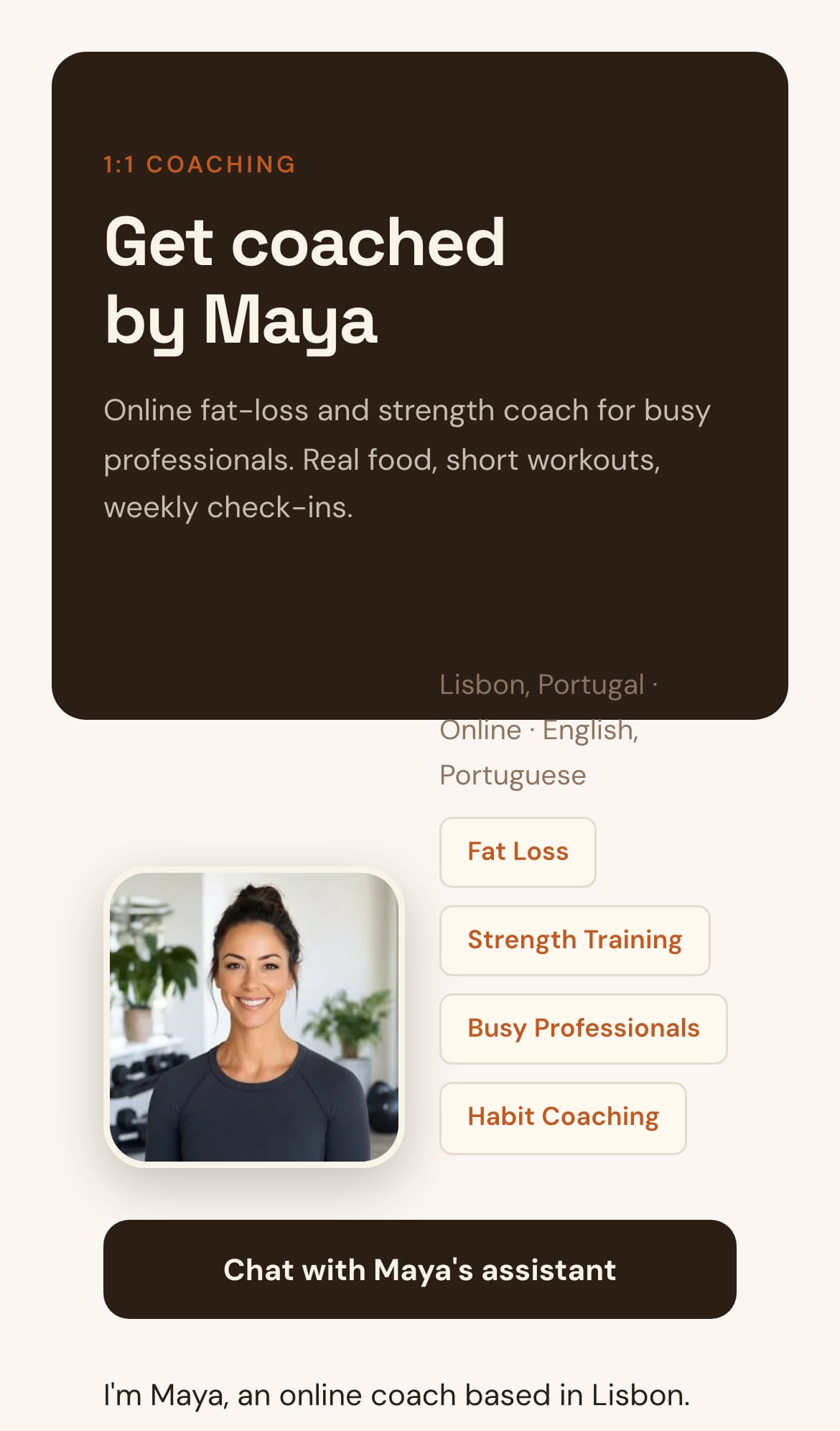
The example coaching page on a phone. Prospects can chat, leave details or book a call from here.
Way 3: one-time booking links from Share
Sometimes you want one specific person to book, even if your page is invite-only. In Share, the One-time booking links panel makes a link for one call. Add a name and, if you like, an email, and choose how long it is valid (7 days is the default). If you add an email, only that email can use the link. Then press Create invite.
Use these for people you meet at the gym, referrals from a client, or a prospect who asked a question and deserves a direct invite. The link is yours to send from your own phone or email, so it reads like a message from you rather than an automated one.
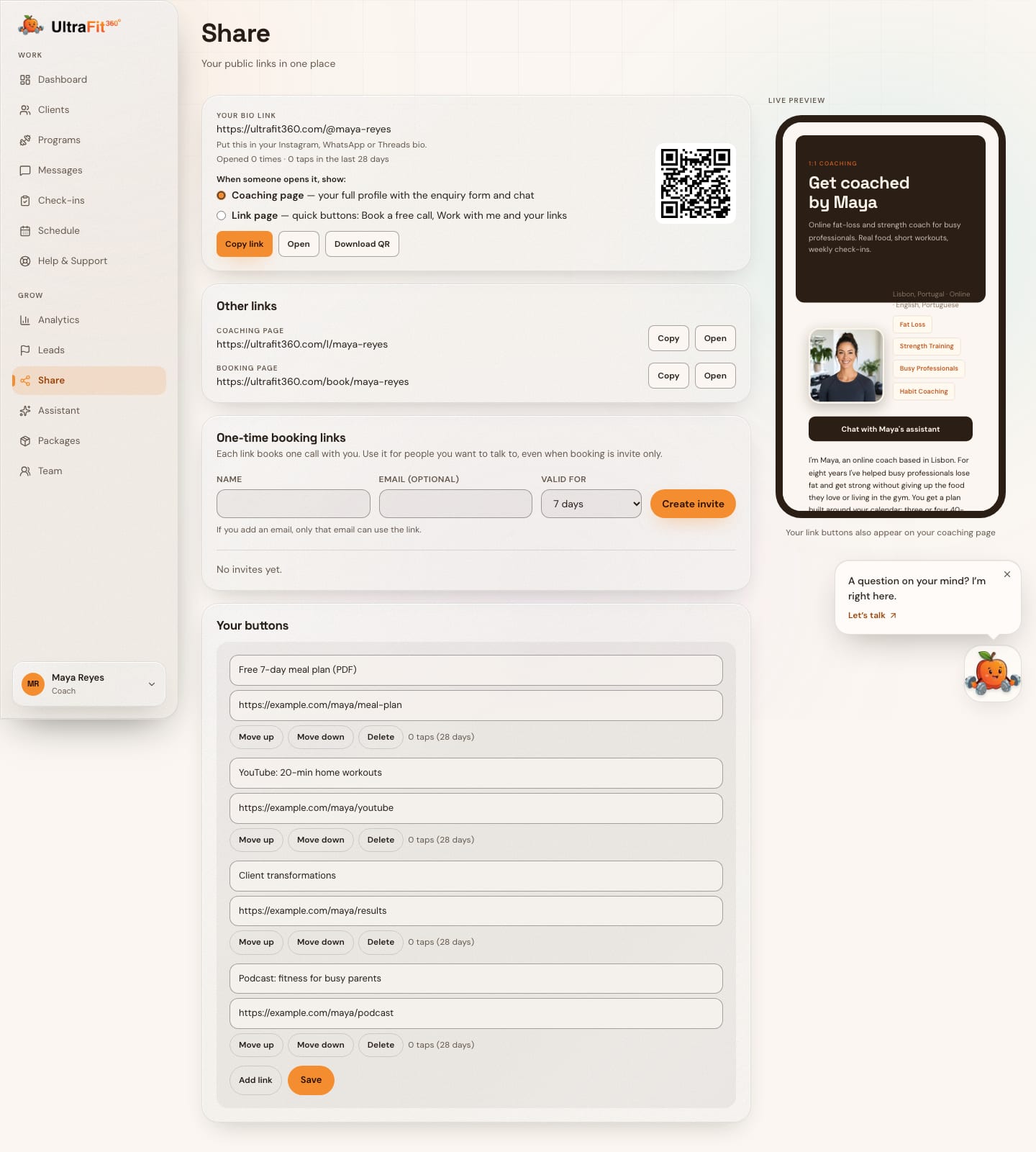
The Share page of the example coach, with the one-time booking links panel in the middle.
Way 4: "Send booking link" from a lead
When an enquiry arrives in Leads, open it and the lead's panel offers a pre-written message and a booking link made for that person (valid for 7 days). Copy the link, or email it from the panel, and make another link if the first expires. The message is a starting point; change it before you send.
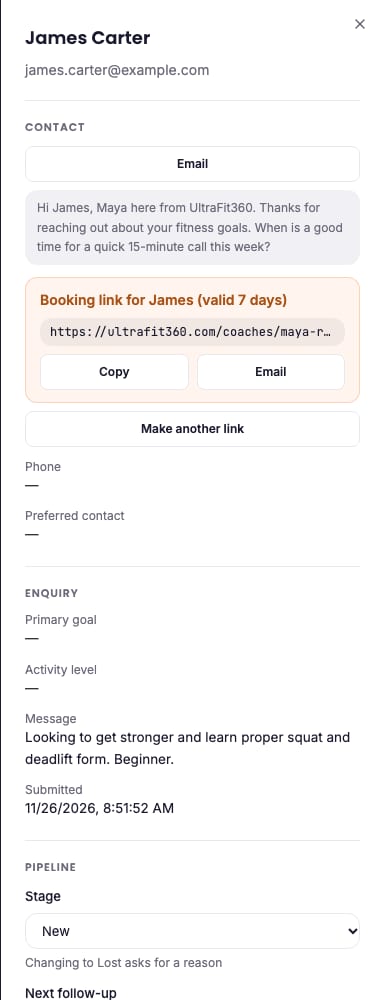
A lead's panel with a booking link ready to copy or email.
This is where booking and follow-up connect. The lead already has a source, a stage and a message, so you know who is booking and why. Move them to the next stage after the call. See how the AI assistant feeds Leads.
Choosing call length and slots
Short beats long for a first call. Twenty minutes is enough to hear their goal, explain how you work and agree the next step, and it is easy to say yes to. Offer slots at times you would take the call without resentment, such as two lunchtime blocks and one weekend morning, rather than the whole week. Fewer, regular times make your calendar predictable, and a prospect who really wants to work with you will pick one. If many of your prospects live in other time zones, remember the page shows each visitor their own local time.
How the other apps handle prospect booking
Trainerize offers prospect booking through its Business add-on at $25/month, with a Book a Consultation button on the profile; prospects booked this way go to a Prospects folder and do not use client seats, according to a help article (see trainerize.com). Everfit lists Booking and Scheduling on Pro and Studio, and Marketplace clients can book an intro call (see everfit.io). My PT Hub has calendar bookings, sessions and classes, which suit client sessions more than prospect calls (see mypthub.net). Kahunas has client call requests that the coach approves; we found no public prospect booking there (checked 2026-11-26).
If you need clients to book recurring sessions or classes, those tools are the better fit. UltraFit360's booking page is for prospects booking an intro call, not for scheduling client sessions. And there are no client payments, so a booked call that turns into a package is paid for with another tool.
Where the lead goes after the booking
Whichever way a prospect books, the next steps are the same. Show up, run the call, then move the lead on in Leads and, if they sign, convert them to a client in the app, where programs, nutrition and check-ins live. For what to say on the call, see how to get more personal training clients, and for the page that sends prospects here, how fitness coaches get found. Teams that need scheduling for several coaches can start at personal trainer scheduling software.
A simple setup in four steps
- In Schedule, set weekly hours, call length and time off.
- In Profile Settings, check your photo, short bio and packages, because prospects see them next to the times.
- In Share, copy your bio link and put it in your Instagram, WhatsApp or Threads bio.
- When a lead arrives in Leads, send a booking link the same day.
Booking is the last step before a lead becomes a client. For the steps before it, from social media posts to your bio link and Leads, read the fitness coach client funnel guide.
Frequently asked questions
What is the best online booking for fitness coaches?
The one prospects will actually use: a page that shows real open times on a phone and takes a name and email. For prospect calls, UltraFit360 has a booking page, a booking button on the coaching page and bio link, one-time booking links and a booking link you send from a lead. Trainerize (Business add-on) and Everfit (Pro) also offer prospect booking.
Can prospects book without creating an account?
Yes. They choose a time and leave a name and email on the booking page. Nothing needs to be installed.
What is a one-time booking link?
A link that books one call with you, made from Share or from a lead's panel. It can be used when booking is invite-only, expires after the number of days you choose (7 by default), and if you add an email, only that email can use it.
Does UltraFit360 sync with Google Calendar?
No. There is no calendar sync, so block time in Schedule for anything you have booked elsewhere. The booking page is for prospects booking intro calls, not for scheduling client sessions.
Can I take payment when someone books?
No. UltraFit360 has no client payments or billing, so charge clients with another tool after the call.
See the coach platform
A coach directory listing, a coaching page with an AI assistant, booking and a bio link, then the client app.
Early bird offer: UltraFit360 is free for coaches today. Paid plans launch in January 2027. The first 250 coaches and teams stay free for 12 months after launch; every other coach gets 6 months free from launch.