💡 Quick Answer
Yes: the Google Health app, the new name for the Fitbit app since May 2026, shares Fitbit and Pixel Watch data with Apple Health on iPhone and with Health Connect on Android, and it reads data back from both.
- Turn it on: Google Health → Connections → Apps and services → Apple Health (iPhone), or Connections → Partner apps → Health Connect (Android).
- Syncs both ways: steps, distance, heart rate, sleep and stages, workouts, weight and more.
- Not written: HRV to Apple Health, and SpO2 to Health Connect; Google lists both as read only.
- Requirement: iOS 16.4 or higher or Android 9 or higher, and an adult Google Account.
Google renamed the app on May 19, 2026. The Fitbit or Pixel Watch syncs to the Google Health app first, and the app then exchanges data with the phone's health platform. The two-way Apple Health sync arrived in August 2026; the Apple Health vs Health Connect guide covers the background.
What Fitbit and Pixel Watch Share With Apple Health and Health Connect
Google lists the data types the Google Health app can write to each platform. The table shows those lists; a device only contributes what it records.
| Data type | To Apple Health | To Health Connect | Notes |
|---|---|---|---|
| Steps | ✓ Steps | ✓ Steps | |
| Distance | ✓ Distance | ✓ Distance | |
| Active calories | ✓ Active calories burned | Total calories burned is written; active calories burned is read only | Health Connect also receives speed, step cadence and elevation gained. |
| Floors | ✓ Floors | ✓ Floors | |
| Workouts | ✓ Exercise and exercise routes | ✓ Exercise and exercise route | |
| VO2 max | ✓ VO2 max | ✓ VO2 max | |
| Heart rate | ✓ Heart rate | ✓ Heart rate | |
| Resting heart rate | ✓ Resting heart rate | ✓ Resting heart rate | |
| HRV | ✗ Read only; not written | ✓ Heart rate variability | Google Health can read HRV from Apple Health but does not write it back. |
| Sleep and sleep stages | ✓ Sleep session and sleep stages | ✓ Sleep session and sleep stages | |
| SpO2 | ✓ Oxygen saturation | ✗ Read only; not written | |
| Respiratory rate | ✓ Respiratory rate | ✓ Respiratory rate | |
| Skin / body temperature | Body temperature written; skin temperature is read only | ✓ Body temperature and skin temperature | |
| Weight and body composition | ✓ Weight and fat percentage | ✓ Weight and body fat percentage | |
| Blood glucose | ✓ Blood glucose | ✓ Blood glucose | |
| Nutrition and water | ✓ Nutrition (energy and macros) and water | ✓ Nutrition and hydration | |
| Mindfulness | ✓ Mindfulness | ✗ Not written | |
| Cycle tracking | ✓ Periods, flow, intermenstrual bleeding, cervical mucus, ovulation, sexual activity, moods, symptoms | Periods, flow and intermenstrual bleeding | |
| Google Health's own scores | Not listed by Google | Not listed by Google | Neither list names a score or a readiness metric. |
How to Connect Fitbit or Pixel Watch to Apple Health
As of October 2026, Google documents these steps. The iPhone or iPad must be online and run iOS 16.4 or higher, and the Google Health app must be signed in with an adult Google Account.
- Open the Google Health app.
- At the top left, tap Connections → Apps and services.
- Under "Add connections" tap Apple Health, then Get started.
- On the "Sync Google Health with Apple Health" page, tap Agree.
- Tap Turn All Categories On, or tick specific categories, then tap Allow.
- Tap Done.
Permissions can be reviewed in the Apple Health app under the Sharing tab → Apps → Google Health. Reinstalling Google Health means reconnecting and granting permissions again.
How to Connect Fitbit or Pixel Watch to Health Connect
Google Health needs an Android phone running Android 9 or higher. Health Connect is built into Android 14 and later; on Android 13 and lower it is a separate app from the Play Store. In Google Health:
- At the top left, tap Connections → Partner apps.
- Under "Add connections," tap Sync your favorite health apps → Set up.
- Review the information and tap Accept.
- Tap the data to sync, then Continue, and choose Allow all or Allow select items.
- Under "Allow additional access for health?", choose whether Google Health may access historic and background data, then tap Allow.
- When "Google Health is syncing" appears, tap Done.
To check status, go to Connections → Partner apps → Manage Health Connect; "Synced just now" means it worked, and Sync at the top right syncs manually.
Does Google Health Read Data From Apple Health or Health Connect?
Yes. Google says data from connected sources is stored in your Google Health account and may be used to calculate Google Health metrics. From Apple Health it reads the same types it writes, plus HRV and skin temperature, and displays three months of history. From Health Connect it additionally reads active calories burned and oxygen saturation, as well as medical records categories such as lab results, medications and vaccines if you allow them.
What Stays Inside the Google Health App
Google's lists contain measurements, not scores. Nothing on either list is a sleep score, readiness score or cardio load figure, so those remain in the app. The write gaps are also specific: HRV and skin temperature are not written to Apple Health, SpO2 is not written to Health Connect, and mindfulness is not written to Health Connect. Medical record categories appear only on Google's Health Connect list. For HRV background, see the HRV monitoring guide.
Why Your Numbers Don't Match
- Two hops. Fitbit devices sync to the app throughout the day and when the app is opened with the device nearby; Pixel Watch syncs throughout the day and after exercise. To force it, pull down on the Today tab or use Connections → Sync.
- New data types need permission. A "New data types available" or "NEW" prompt means the metric is not shared until permissions are granted.
- Duplicate sources. In Apple Health, open Browse → a category → a data type → Data Sources & Access → Edit and drag the preferred source up. In Health Connect, use Manage Data → Data sources and priority; when apps write the same type, the app higher on the list wins.
Also see which sleep trackers sync and the guides for Garmin, WHOOP and Oura.
Frequently Asked Questions
Does Fitbit sync with Apple Health?
Yes, through the Google Health app, which is the renamed Fitbit app. Google Health syncs with Apple Health in both directions, writing steps, distance, heart rate, sleep and stages, workouts, weight and more. HRV and skin temperature are read from Apple Health but not written back.
How do I connect Fitbit to Health Connect?
Open the Google Health app on an Android phone running Android 9 or higher. Tap Connections, then Partner apps, then Sync your favorite health apps and Set up. Tap Accept, choose the data to sync, tap Allow and then Done. Health Connect is built into Android 14 and later.
Does Google Health write HRV to Apple Health?
No. Google lists heart rate variability as read only for Apple Health, so Google Health can import HRV from Apple Health but does not write it back. HRV is written to Health Connect on Android.
Does the Pixel Watch sync with Health Connect?
Pixel Watch data syncs to the Google Health app throughout the day and after exercise, and Google Health then exchanges data with Health Connect on Android. It writes steps, distance, exercise, sleep, heart rate, resting heart rate, HRV, respiratory rate and more.
Why is my Fitbit data not showing in Health Connect or Apple Health?
Update Google Health, then check that its permissions are active. Open Connections and Partner apps, then Manage Health Connect, and tap Sync. On iPhone, review Google Health under Apps in the Health app. A New data types available message means new permissions must be granted first.
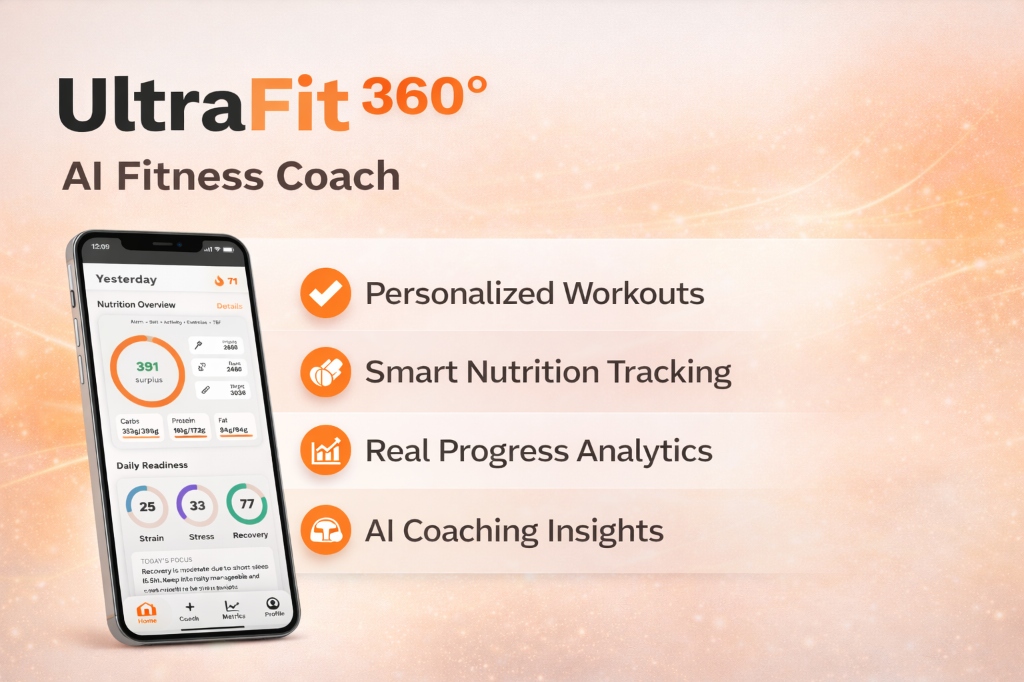
Using Fitbit and Pixel Watch Data in UltraFit360
UltraFit360 reads from Apple Health and Health Connect, so whatever Google Health writes there for a Fitbit or Pixel Watch becomes available to it once you grant permission. From Google's lists, that includes steps, distance, calories, heart rate, sleep, workouts and weight, and HRV on Android through Health Connect.
UltraFit360 has no direct Fitbit integration; the data travels through the platform you choose. See the AI fitness tracker page for how synced data is used, or browse the features.
Sources
- Google Health Help: How do I use Apple Health with the Google Health app? — checked on October 9, 2026
- Google Health Help: How do I use Health Connect with the Google Health app? — checked on October 9, 2026
- Google Health Help: How do Fitbit devices sync their data? — checked on October 9, 2026
- Google Health Help: What is new with the redesigned Google Health app — checked on October 9, 2026
- Android Help: Get started with Health Connect — checked on October 9, 2026
- Android Help: Manage your Health Connect data — checked on October 9, 2026
- Apple Support: Manage Health data on your iPhone, iPad, or Apple Watch — checked on October 9, 2026
UltraFit360 brings your workouts, nutrition and wearable data together. See how the AI fitness tracker works with Apple Health and Health Connect.
Connect Your Health Data to AI Coaching
Sync Apple Health or Health Connect with UltraFit360 — get SSR scores, recovery insights, and weekly reports.