💡 Quick Answer
The Withings App can export data to Apple Health on iPhone and to Health Connect on Android, and it can import data back from both. Withings publishes a category list only for Apple Health.
- Turn it on: Withings App → Profile → Settings (gear icon) → Export health data to Apple Health, or Export health data to Health Connect.
- Apple Health list: steps, heart rate, resting heart rate, HRV, sleep, blood oxygen, respiratory rate, body temperature, weight, body fat, workouts and cycle tracking.
- Health Connect: Withings documents the setup but does not publish a list of categories.
- Requirement: Apple Health does not sync automatically. Open the Withings App, open Apple Health, then pull down to refresh the Withings Home tab.
Withings treats export and import as separate switches on each platform. This guide follows its support articles line by line. For a wider look, see the Apple Health vs Health Connect guide.
What Withings Shares With Apple Health and Health Connect
Withings publishes one list of data categories "that can be shared between the apps" for Apple Health. That list does not say which categories go out and which come in, so the Apple Health column below shows what is listed, not the direction. For Health Connect, no category list was found on the Withings support site.
| Data type | To Apple Health | To Health Connect | Notes |
|---|---|---|---|
| Steps | ✓ Steps | Only referenced in troubleshooting | Withings says its app and each platform use different step algorithms, so totals can differ. |
| Distance | Not listed by Withings | Not listed by Withings | |
| Active calories | Not listed by Withings | Not listed by Withings | |
| Floors climbed | ✓ Flights Climbed | Not listed by Withings | |
| Workouts | ✓ Workouts and Workout Routes | Not listed by Withings | |
| Heart rate | ✓ Heart Rate | Not listed by Withings | High, Low and Irregular Rhythm notifications are also on the list. |
| Resting heart rate | ✓ Resting Heart Rate | Not listed by Withings | |
| HRV | ✓ Heart Rate Variability | Not listed by Withings | |
| Sleep and sleep stages | ✓ Sleep, Breathing Disturbances | Not listed by Withings | Withings names the category, not individual stages. |
| SpO2 | ✓ Blood Oxygen | Not listed by Withings | |
| Respiratory rate | ✓ Respiratory Rate | Not listed by Withings | |
| Temperature | ✓ Body Temperature | Not listed by Withings | |
| Weight and body composition | ✓ Weight, Body Fat Percentage, Body Mass Index, Lean Body Mass, Height | Not listed by Withings | |
| Blood pressure, glucose and ECG | ✓ Blood Pressure, Blood Glucose, Electrocardiograms (ECG) | Not listed by Withings | |
| Cycle tracking | ✓ Menstruation, Ovulation Test Result, Pregnancy, Contraceptives and related items | Not listed by Withings | Symptom logging is listed too. |
| Withings' own scores | ✓ Cardio Fitness | Not listed by Withings | No other Withings score is named on the list. |
How to Connect Withings to Apple Health
As of October 2026, Withings documents these steps for exporting Withings data into Apple Health:
- Go to your Profile in the Withings App.
- Tap Settings (gear icon) in the upper right corner of the screen.
- Tap Export health data to Apple Health.
- You will be prompted to connect with Apple Health. Tap Next to continue.
- Tap Next again to begin choosing the categories of Withings data to export.
- Toggle any data on or off, then tap Allow.
- Allow a moment, then tap Done.
Withings adds that syncing to and from Apple Health is not automatic because of an iOS restriction. To see the latest data, open the Withings App, open Apple Health, return to the Withings App and swipe down from the top of the Home tab. Withings says to repeat this each time.
How to Connect Withings to Health Connect
On Android 14 and later, Health Connect is built in: open Settings, tap Security and privacy → Privacy Controls → Health Connect. On Android 13 and earlier, Health Connect is a separate download from the Play Store. Withings documents these steps for exporting to Health Connect:
- Go to your Profile in the Withings App.
- Tap Settings (gear icon) in the upper right corner.
- Tap Export health data to Health Connect.
- When prompted to connect with Health Connect, tap Next.
- Go into your phone Settings → Edit Permissions → Withings to choose the categories of data to export.
- Toggle any data on or off, then tap Allow.
- Allow a moment for the connection to complete and tap Done.
Does Withings Read Data From Apple Health or Health Connect?
Yes, through a separate import. Withings documents both routes:
- Apple Health: open the Withings App, select the Share tab at the bottom right, scroll down and tap Health under "Apps", then tap Next twice, toggle the data and tap Allow.
- Health Connect: the same path, but tap Health Connect under "Apps".
Two limits apply. For Apple Health, Withings imports only steps gathered by the iPhone's built-in step tracker and Apple Watch, so steps synced from other trackers are skipped. For both platforms, steps entered manually are not imported.
What Stays Inside the Withings App
Anything not on Withings' list is not documented as shared:
- Distance and active calories are not on the Apple Health list.
- Individual sleep stages are not named.
- Health Connect categories are not listed by Withings.
- Scores other than Cardio Fitness are not named.
Why Your Numbers Don't Match
- Different step algorithms. Withings says its app and Apple Health, and its app and Health Connect, calculate steps differently. Withings suggests contacting support only if the gap looks too large.
- Sync delay. Withings recommends waiting at least 15 minutes after adding data and checking its web dashboard.
- Source priority. Apple Health shows the top source when several apps write the same type: open Health → Browse → a category → a data type → Data Sources & Access → Edit, then drag Withings up. Health Connect merges data and favours the app higher on the list; change it under Manage Data → Data sources and priority.
- Permissions. On iPhone, check Settings → Apps → Health → Data Access & Devices → Withings. On Android, check Settings → Apps → Health Connect → Edit Permissions.
See the sleep tracker comparison for other devices, or the guides for Oura, Garmin and Samsung Health.
Frequently Asked Questions
Does Withings sync with Apple Health?
Yes. The Withings App can export data to Apple Health and import data from it. Withings lists steps, heart rate, heart rate variability, sleep, blood oxygen, weight, workouts and more. Because of an iOS restriction, syncing is not automatic and needs a manual refresh.
How do I connect Withings to Health Connect?
Open the Withings App, go to your Profile, tap Settings (the gear icon), then tap Export health data to Health Connect. Tap Next, go to your phone Settings, choose Edit Permissions, then Withings, toggle the data to share, tap Allow and then Done.
Why is my Withings data not showing in Apple Health?
Wait at least 15 minutes after adding data, then open the Withings App, open Apple Health and return to the Withings App to swipe down on the Home tab. Withings also says to check that Export health data to Apple Health is on, and that its permissions are enabled under Settings, Apps, Health, Data Access & Devices.
Does Withings send HRV and sleep to Apple Health?
Both appear on the list of data categories Withings says can be shared between the Withings App and Apple Health: Heart Rate Variability and Sleep. Withings does not say which direction each category travels or name sleep stages.
Can the Withings App read data from Apple Health or Health Connect?
Yes, to a limited extent. Withings documents separate import steps for both. From Apple Health it imports only steps from the iPhone's built-in tracker and Apple Watch, and steps entered by hand are not imported.
Using Withings Data in UltraFit360
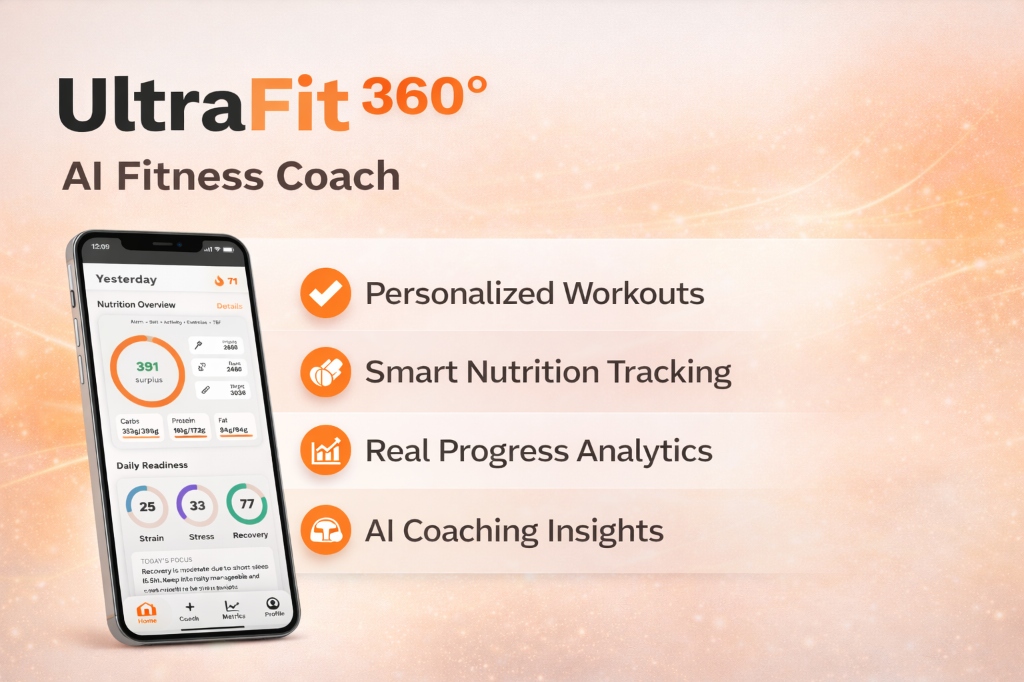
UltraFit360 reads from Apple Health and Health Connect, so whatever the Withings App writes there becomes available to it once you grant permission. Based on Withings' list, that can include steps, heart rate, sleep, weight and body fat on iPhone.
UltraFit360 does not connect to Withings directly; the route runs through Apple Health or Health Connect. Open the Withings App and refresh it before checking, then see how the AI fitness tracker uses that data alongside meals and workouts, or browse all UltraFit360 features.
Sources
- Withings Support: What is Apple Health? — checked on October 9, 2026
- Withings Support: Exporting Withings data into Apple Health — checked on October 9, 2026
- Withings Support: Importing Apple Health data into the Withings App — checked on October 9, 2026
- Withings Support: Apple Health data synchronization issues — checked on October 9, 2026
- Withings Support: Exporting Withings data into Health Connect — checked on October 9, 2026
- Withings Support: Importing Health Connect data into the Withings App — checked on October 9, 2026
- Withings Support: Health Connect data synchronization issues — checked on October 9, 2026
- Android Help: Get started with Health Connect — checked on October 9, 2026
- Android Help: Manage your Health Connect data — checked on October 9, 2026
- Apple Support: Manage Health data on your iPhone, iPad, or Apple Watch — checked on October 9, 2026
UltraFit360 brings your workouts, nutrition and wearable data together. See how the AI fitness tracker works with Apple Health and Health Connect.
Connect Your Health Data to AI Coaching
Sync Apple Health or Health Connect with UltraFit360 — get SSR scores, recovery insights, and weekly reports.